
Description
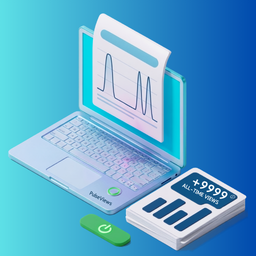
PulseViews records how many times each post or page has been viewed and gives you a clean analytics dashboard inside your WordPress admin.
No wp_postmeta writes. No database bloat. Works with any caching plugin.
Key features:
- Smart view tracking — PHP, JavaScript, or combined tracking modes
- Cache-compatible — JavaScript mode works with WP Rocket, LiteSpeed Cache, W3 Total Cache, and Cloudflare
- Bot detection — 30+ known bot patterns filtered automatically, stored separately
- Session deduplication — prevents the same visitor inflating your counts
- Privacy first — IP addresses are hashed, never stored in plain text
- Role exclusions — exclude admins, editors, or any custom role
- Dedicated database tables — four indexed tables, zero wp_postmeta writes
- 4 display styles — Pill, Block, Inline, Compact — all inherit your theme colour
- Auto-insert or shortcode — place the badge anywhere with
[pulseviews] - Clean admin dashboard — views-over-time chart, top content leaderboard, tracking status
- Custom view label — change “views” to “readers”, “hits”, or anything you want
Shortcode reference:
[pulseviews] — current post, default style
[pulseviews style="1" variant="filled"] — filled pill
[pulseviews style="2"] — block counter
[pulseviews style="3"] — inline text
[pulseviews style="4"] — compact badge
[pulseviews label="readers"] — custom label
[pulseviews period="week"] — views this week
[pulseviews period="today"] — views today
[pulseviews id="42"] — specific post by ID
Pro version available
PulseViews Pro is an optional add-on available at pulseviews.net/pricing/. It adds:
- Custom date range reports (any period)
- Traffic sources breakdown (Google, social, direct, referrers)
- Geographic stats by country
- Most viral posts algorithm
- CSV and XML data export
For detailed documentation, visit our Documentation Page.
The free plugin is fully functional without Pro.
External Services
This plugin may connect to the following external services. Both services are disabled by default — you must explicitly opt in.
1. ip-api.com — IP Geolocation (opt-in)
Used to resolve the approximate country from a visitor’s IP address for geographic analytics.
- What data is sent: The visitor’s IP address only. No site URL, no personal identifiers, no cookies.
- When it is called: Only when a page view is recorded AND “Geographic tracking” is enabled in Settings Other.
- Caching: Results are cached for 24 hours per IP via WordPress transients.
- Cloudflare alternative: If your site is behind Cloudflare, the country is read from the
CF-IPCountryheader and ip-api.com is never contacted. - Service provider: ip-api.com
- Terms of Service & Privacy Policy: https://ip-api.com/docs/legal
2. pulseviews.net — Usage & Diagnostic Data (opt-in)
Used to send anonymous diagnostic telemetry to help us improve plugin compatibility and stability.
- What data is sent: WordPress version, PHP version, plugin version, site language, and active plugin settings. No personal data, visitor IPs, or post contents are ever sent.
- When it is called: Only when “Allow PulseViews to collect anonymous diagnostic data” is explicitly enabled in Settings.
- Service provider: PulseViews (pulseviews.net)
- Privacy Policy: https://pulseviews.net/privacy/
- Terms of Service: https://pulseviews.net/terms/
Blocks
This plugin provides 1 block.
- PulseViews — View Count Display post view counts in 5 premium styles — glass badge, editorial, neon, luxury, or creator widget.
Installation
From the WordPress admin (recommended):
- Go to Plugins Add New Plugin
- Search for PulseViews
- Click Install Now, then Activate
Manual upload:
- Download the ZIP from WordPress.org
- Go to Plugins Add New Upload Plugin
- Choose the ZIP and click Install Now, then Activate
After activation:
- Visit PulseViews Dashboard to see your analytics
- Visit PulseViews Settings Counting to configure tracking mode
- Visit PulseViews Settings Display to set up the view badge
FAQ
-
Does it work with caching plugins?
-
Yes. Go to Settings Counting Tracking mode and switch to JavaScript. This tracks views asynchronously after the page loads — even when served from cache. Tested with WP Rocket, LiteSpeed Cache, W3 Total Cache, and Cloudflare.
-
Will it slow down my site?
-
No. JavaScript tracking uses the browser’s
sendBeaconAPI — completely non-blocking. PHP tracking adds one indexed database write per view. The frontend badge CSS loads only on pages that display it. -
Does it track logged-in users?
-
By default, Administrators and Editors are excluded. Configure this under Settings Counting Exclusions. You can exclude any role independently of the “exclude logged-in” toggle.
-
Where is my data stored?
-
All post view data is stored locally in your WordPress database in four dedicated tables:
wp_pulseviews_views,wp_pulseviews_aggregates,wp_pulseviews_post_totals,wp_pulseviews_exclusions. Nothing is sent to any external server unless you explicitly opt in to geographic tracking or usage collection. -
Is it GDPR compliant?
-
IP addresses are SHA-256 hashed before storage — raw IPs are never written to your database. No cookies are set by default (session tracking uses a hashed key). Geographic tracking and telemetry are disabled by default. Read our full Privacy Policy.
-
How do I show the view count on my posts?
-
Go to Settings Display Auto-insert position and choose “After content”. Or place
[pulseviews]manually anywhere in post content, page templates, or widget areas. -
Can I customise the label?
-
Yes. Go to Settings Display View count label. Change “views” to anything — “readers”, “hits”, “people read this”. You can also override it per-shortcode with
[pulseviews label="readers"]. -
What display styles are available?
-
Four styles: Pill (rounded with eye icon), Block (bold inverted counter), Inline (pure text, inherits theme font), and Compact (small bordered badge for post cards). Each automatically inherits your theme’s text colour.
-
Can I use it on multiple post types?
-
Yes. Go to Settings Counting Track post types and select any public post type — posts, pages, products, custom types.
-
What happens to my data if I deactivate the plugin?
-
Data is preserved on deactivation. To delete everything, go to Settings Other Danger Zone and enable “Delete all data on uninstall” before deleting the plugin.
-
Where can I read your terms and conditions?
-
You can review our full service terms at pulseviews.net/terms.
Reviews
There are no reviews for this plugin.
Contributors & Developers
“PulseViews” is open source software. The following people have contributed to this plugin.
Contributors
Translate “PulseViews” into your language.
Interested in development?
Browse the code, check out the SVN repository, or subscribe to the development log by RSS.
Changelog
1.0.0 — 2026-05-19
- Initial release
- View tracking with PHP, JavaScript, and combined modes
- Bot detection with 30+ patterns
- Session-based deduplication
- Four frontend display styles (Pill, Block, Inline, Compact)
- Admin dashboard with chart and top content table
- Settings: Counting, Display, Other tabs
- Dedicated database tables (no wp_postmeta)
- Shortcode [pulseviews] with full attribute support
- Gutenberg block
- Role and user exclusions
- Geographic tracking opt-in (ip-api.com + Cloudflare header)
- Nightly data aggregation via WP-Cron
- REST API endpoint for JavaScript tracking mode