Title: Sold Out Badge for WooCommerce
Author: Charlie Etienne
Published: अक्टूबर 30, 2020
Last modified: मई 30, 2023
---
Search plugins

This plugin **hasn’t been tested with the latest 3 major releases of WordPress**.
It may no longer be maintained or supported and may have compatibility issues when
used with more recent versions of WordPress.
# Sold Out Badge for WooCommerce
By [Charlie Etienne](https://profiles.wordpress.org/charlieetienne/)
[Download](https://downloads.wordpress.org/plugin/sold-out-badge-for-woocommerce.4.4.0.zip)
* [Details](https://mai.wordpress.org/plugins/sold-out-badge-for-woocommerce/#description)
* [Reviews](https://mai.wordpress.org/plugins/sold-out-badge-for-woocommerce/#reviews)
* [Installation](https://mai.wordpress.org/plugins/sold-out-badge-for-woocommerce/#installation)
* [Development](https://mai.wordpress.org/plugins/sold-out-badge-for-woocommerce/#developers)
[Support](https://wordpress.org/support/plugin/sold-out-badge-for-woocommerce/)
## Description
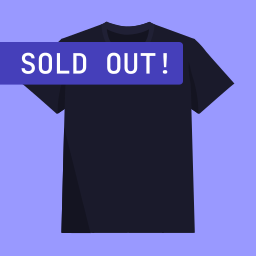
Display a “Sold Out!” badge on out-of-stock products.
When a WooCommerce product
becomes out of stock, this plugin will show a badge on thumbnail with the text you
will have defined.
This plugin was initially created to help people and companies selling _unique_
products or services, like artists, artisans, real estate professionals, etc. It
is often beneficial for them to keep showing sold out (out of stock) products on
their websites, while displaying a message indicating that the product can’t be
sold anymore.
However, this plugin can be used by **anyone** wanting to display **any text** in
a badge when a product is out of stock.
It is also possible to display a badge on backorder products.
### Usage & Documentation
You can customize options in **_Settings > Sold Out Badge for WooCommerce_**
#### What can I customize in this plugin ?
* **Badge text** (you can replace “_Sold Out_” with any text you want, like “_Out
of stock_” or “_Coming Soon_“)
* **Badge background color**
* **Badge text color**
* **Badge font size**
* **Badge width**
* **Badge height**
* …
* An option to **hide “_Sale_” badge** if you get an overlap (checked by default)
#### Resources
* **WordPress Plugin:** [https://wordpress.org/plugins/sold-out-badge-for-woocommerce](https://wordpress.org/plugins/sold-out-badge-for-woocommerce)
* **GitHub Repository:** [https://github.com/CharlieEtienne/sold-out-badge-for-woocommerce](https://github.com/CharlieEtienne/sold-out-badge-for-woocommerce)
* **Support:** [https://github.com/CharlieEtienne/sold-out-badge-for-woocommerce/issues](https://github.com/CharlieEtienne/sold-out-badge-for-woocommerce/issues)
## Screenshots
[⌊Single product page⌉⌊Single product page⌉[
Single product page
[⌊Store and categories pages⌉⌊Store and categories pages⌉[
Store and categories pages
[⌊Admin settings⌉⌊Admin settings⌉[
Admin settings
## Installation
1. Install this plugin either via the WordPress.org plugin directory, or by uploading
the files to your server.
2. Activate the plugin.
3. That’s it. You’re ready to go! Please, refer to the Usage & Documentation section
for examples and how-to information.
## FAQ
### Is this plugin completely free?
Yes.
### Can I use this plugin for commercial purposes?
Sure, go ahead! It is completely open source.
### Can I change the badge text?
Yes. Go to _Settings > Sold Out Badge for WooCommerce_, you’ll find the setting
you want.
### What if this plugin isn’t compatible with my theme or doesn’t work?
You could uninstall this plugin and try to get the badge manually. There are two
ways you could do it:
**1. Pure CSS**
If you’re lucky enough, you’ll have a specific CSS class for out-of-stock products.
You could add a SOLD OUT badge like this:
```
.product.outofstock:before {
content: 'SOLD OUT';
color: #ffffff;
background: #FE2121;
font-size: 16px;
padding: 4px;
font-weight: bold;
width: auto;
height: auto;
border-radius: 0;
z-index: 9999;
text-align: center;
position: absolute;
top: 6px;
right: auto;
bottom: auto;
left: 6px;
}
```
**2. PHP + CSS**
Otherwise, you could use WP hooks to add a badge. Put this code in your child theme’s`
functions.php`:
```
add_action( 'woocommerce_before_shop_loop_item_title', 'my_custom_soldout_badge_display', 10 );
add_action( 'woocommerce_before_single_product_summary', 'my_custom_soldout_badge_display', 30 );
function my_custom_soldout_badge_display() {
global $post, $product;
if ( ! $product->is_in_stock() ) {
echo 'SOLD OUT';
}
}
```
Use the following CSS code to style the badge:
```
.wcsob_soldout {
content: 'SOLD OUT';
color: #ffffff;
background: #FE2121;
font-size: 16px;
padding: 4px;
font-weight: bold;
width: auto;
height: auto;
border-radius: 0;
z-index: 9999;
text-align: center;
position: absolute;
top: 6px;
right: auto;
bottom: auto;
left: 6px;
}
```
## Reviews

### [works fine!](https://wordpress.org/support/topic/works-fine-1612/)
[ole_wilkenburg](https://profiles.wordpress.org/ole_wilkenburg/) फरबरी 14, 2025
Thank you for providing this plugin for free, exactly what I was looking for!One
suggestion: I searched long for "settings", didn't find it. A link at plugin page
would help for the short way. But maybe I'm the only one who was too stupid to find
it.

### [parfait](https://wordpress.org/support/topic/parfait-412/)
[Cousin](https://profiles.wordpress.org/christophecasa/) जून 25, 2024
Bonjour,Je viens de mettre votre extension en place : 3' , j'ai compris comment
ça fonctionne, mis en place, et… tout va bien ! Merci d'avoir fait aussi simple.
En pré-production. WordPress 6.5.5, GeneratePress (3.4 )Enfant , Spectra 2.13.7
PHP 8.2. Woocommerce 9.02.Merci ! Bonne continuation.

### [Doesn’t work](https://wordpress.org/support/topic/doesnt-work-3094/)
[csomthing](https://profiles.wordpress.org/csomthing/) मार्च 13, 2024 8 replies
Nothing I did in the settings for this plugin made it work.

### [Perfect](https://wordpress.org/support/topic/perfect-9961/)
[shaymus](https://profiles.wordpress.org/shaymus/) जुलाई 9, 2023
Exactly what I was looking for, simple and very easy to set up too. Thank you!

### [Works beautifully](https://wordpress.org/support/topic/works-beautifully-176/)
[stresslessweb](https://profiles.wordpress.org/stresslessweb/) फरबरी 16, 2023
Install and activate the plugin and it just works. Easy to tweak colors position.
Just the right amount of settings.

### [Полезный плагин, но есть минус](https://wordpress.org/support/topic/%d0%bf%d0%be%d0%bb%d0%b5%d0%b7%d0%bd%d1%8b%d0%b9-%d0%bf%d0%bb%d0%b0%d0%b3%d0%b8%d0%bd-%d0%bd%d0%be-%d0%b5%d1%81%d1%82%d1%8c-%d0%bc%d0%b8%d0%bd%d1%83%d1%81/)
[mover](https://profiles.wordpress.org/mover/) दिसम्बर 26, 2022
Мне кажется очевидно, что должно быть выравнивание по центру, но его нет.
[ Read all 25 reviews ](https://wordpress.org/support/plugin/sold-out-badge-for-woocommerce/reviews/)
## Contributors & Developers
“Sold Out Badge for WooCommerce” is open source software. The following people have
contributed to this plugin.
Contributors
* [ Charlie Etienne ](https://profiles.wordpress.org/charlieetienne/)
“Sold Out Badge for WooCommerce” has been translated into 5 locales. Thank you to
[the translators](https://translate.wordpress.org/projects/wp-plugins/sold-out-badge-for-woocommerce/contributors)
for their contributions.
[Translate “Sold Out Badge for WooCommerce” into your language.](https://translate.wordpress.org/projects/wp-plugins/sold-out-badge-for-woocommerce)
### Interested in development?
[Browse the code](https://plugins.trac.wordpress.org/browser/sold-out-badge-for-woocommerce/),
check out the [SVN repository](https://plugins.svn.wordpress.org/sold-out-badge-for-woocommerce/),
or subscribe to the [development log](https://plugins.trac.wordpress.org/log/sold-out-badge-for-woocommerce/)
by [RSS](https://plugins.trac.wordpress.org/log/sold-out-badge-for-woocommerce/?limit=100&mode=stop_on_copy&format=rss).
## Changelog
#### 4.4.0
* Support PHP 8.2
* Bump Carbon Fields version to 3.6.0
* Improve docs
#### 4.3.6
* Fix compatibility issues with kadence blocks and woocommerce HPOS thanks to @
ataypamart
#### 4.3.5
* Fix missing hook in Elementor page builder
#### 4.3.4
* Fix related and upsells products in some themes like Divi
#### 4.3.1
* Adds compat with Elementor Archive posts widget
#### 4.3.0
* Allows displaying badge on backorder products instead of/in addition to out of
stock products
#### 4.2.0
* Adds WPML compatibility
#### 4.1.0
* Fixes Text Domain Path
* Fixes single product position settings being ignored
#### 4.0.0
* Major code refactor (nothing is supposed to change unless you made custom dev
using this plugin hooks or classes )
* Added compatibility with Lay Theme
#### 3.2.2
* Minor fixes
#### 3.2.1
* Fixes and improves alternative method
* Improves compatibility with Divi Builder on single product pages
#### 3.2.0
* Adds an alternative method (pure CSS). Useful for some themes like Divi.
#### 3.1.0
* Adds badge in search results
* Ability to turn off the badge on a per-product basis
#### 3.0.1
* Fix missing “position: absolute” CSS rule
#### 3.0.0
* **Potential breaking change (in other words, do a backup before upgrading)** :
Adds settings options to control appearance (width, height, border-radius, etc.)
#### 2.2.0
* Move to Singleton pattern to let other developpers unhook actions and filters.
If you want to unhook something, use it like this, for example: `remove_filter('
woocommerce_get_stock_html', [ WCSOB::get_instance(), 'replace_out_of_stock_text'],
10, 2 );`
## Meta
* Version **4.4.0**
* Last updated **3 years ago**
* Active installations **8,000+**
* WordPress version ** 5.2 or higher **
* Tested up to **6.2.15**
* PHP version ** 7.2 or higher **
* Languages
* [Danish](https://da.wordpress.org/plugins/sold-out-badge-for-woocommerce/), [Dutch](https://nl.wordpress.org/plugins/sold-out-badge-for-woocommerce/),
[English (US)](https://wordpress.org/plugins/sold-out-badge-for-woocommerce/),
[French (France)](https://fr.wordpress.org/plugins/sold-out-badge-for-woocommerce/),
[Spanish (Spain)](https://es.wordpress.org/plugins/sold-out-badge-for-woocommerce/),
and [Swedish](https://sv.wordpress.org/plugins/sold-out-badge-for-woocommerce/).
* [Translate into your language](https://translate.wordpress.org/projects/wp-plugins/sold-out-badge-for-woocommerce)
* Tags
* [badge](https://mai.wordpress.org/plugins/tags/badge/)[out of stock](https://mai.wordpress.org/plugins/tags/out-of-stock/)
[sold out](https://mai.wordpress.org/plugins/tags/sold-out/)[woocommerce](https://mai.wordpress.org/plugins/tags/woocommerce/)
* [Advanced View](https://mai.wordpress.org/plugins/sold-out-badge-for-woocommerce/advanced/)
## Ratings
4.8 out of 5 stars.
* [ 23 5-star reviews ](https://wordpress.org/support/plugin/sold-out-badge-for-woocommerce/reviews/?filter=5)
* [ 1 4-star review ](https://wordpress.org/support/plugin/sold-out-badge-for-woocommerce/reviews/?filter=4)
* [ 0 3-star reviews ](https://wordpress.org/support/plugin/sold-out-badge-for-woocommerce/reviews/?filter=3)
* [ 0 2-star reviews ](https://wordpress.org/support/plugin/sold-out-badge-for-woocommerce/reviews/?filter=2)
* [ 1 1-star review ](https://wordpress.org/support/plugin/sold-out-badge-for-woocommerce/reviews/?filter=1)
[Your review](https://wordpress.org/support/plugin/sold-out-badge-for-woocommerce/reviews/#new-post)
[See all reviews](https://wordpress.org/support/plugin/sold-out-badge-for-woocommerce/reviews/)
## Contributors
* [ Charlie Etienne ](https://profiles.wordpress.org/charlieetienne/)
## Support
Got something to say? Need help?
[View support forum](https://wordpress.org/support/plugin/sold-out-badge-for-woocommerce/)
## Donate
Would you like to support the advancement of this plugin?
[ Donate to this plugin ](https://paypal.me/webnancy)