

Description
Donation or Tip For WooCommerce is the easiest way to collect donations or tips from your customers directly on the WooCommerce cart and checkout pages. Whether you’re running a non-profit, a charitable store, or simply want to give customers the option to leave a gratuity, this plugin has everything you need — for free.
With flexible display options, full color and text customization, and support for both fixed and percentage-based amounts, you can tailor the donation experience to match your brand and goals in minutes.
Why Use Donation or Tip For WooCommerce?
Many store owners want to collect donations or tips at checkout but find existing solutions too complex or too expensive. This plugin solves that with a lightweight, beginner-friendly setup and a one-time optional upgrade — no recurring subscription required.
⭐ “Free or $20 for a one-time paid version, which is a good deal, especially for a non-profit.” — Verified User
Key Features
Display & Placement
* Show donation/tip field on the cart page, checkout page, or both
* Choose the field position on each page independently
* Enable or disable the donation field at any time with a single toggle
Amount Options
* Offer predefined donation amounts (fixed dollar values or percentage of cart total)
* Allow customers to enter a custom amount via a free-text input field
* Enable or disable an “Other” option alongside predefined values
Style & Customization
* Display predefined amounts as buttons or a dropdown menu
* Customize button text, background color, and text color
* Adjust font size for all donation field text
* Show or hide a remove/clear donation button
Order Management
* Display the donation amount on the order view table so customers and admins always see it clearly
* Compatible with WooCommerce order emails and admin order screens
Perfect For
- Non-profit organizations accepting charitable contributions
- Restaurants and food stores collecting tips at checkout
- Freelancers and service providers offering gratuity options
- Any WooCommerce store looking to increase revenue through optional giving
How It Works
- Install and activate the plugin.
- Navigate to WooCommerce Donation/Tip Settings in your WordPress dashboard.
- Configure your donation title, amounts, display style, and colors.
- Enable the field on your cart and/or checkout page.
- Start collecting donations and tips immediately — no code required.
Frequently Asked Questions
Does this work with my WooCommerce theme?
Yes. The plugin integrates directly with WooCommerce’s standard cart and checkout hooks, making it compatible with virtually all WooCommerce-compatible themes.
Can I offer both fixed amounts and a custom input field?
Absolutely. You can enable predefined amounts (fixed or percentage-based) alongside a free-text “Other” field so customers can enter any amount they choose.
Is the donation amount visible on the order confirmation?
Yes. You can enable the donation/tip to appear in the order view table, so both the customer and store admin can see it clearly on the order summary and in WooCommerce order management.
Does this plugin support percentage-based tips?
Yes. You can set predefined amounts as either a fixed currency value or a percentage of the cart subtotal — ideal for tip-style use cases.
Is there a premium version?
Yes. A one-time paid upgrade is available for $20 with no recurring fees, making it an affordable option for non-profits and small businesses.
Screenshots
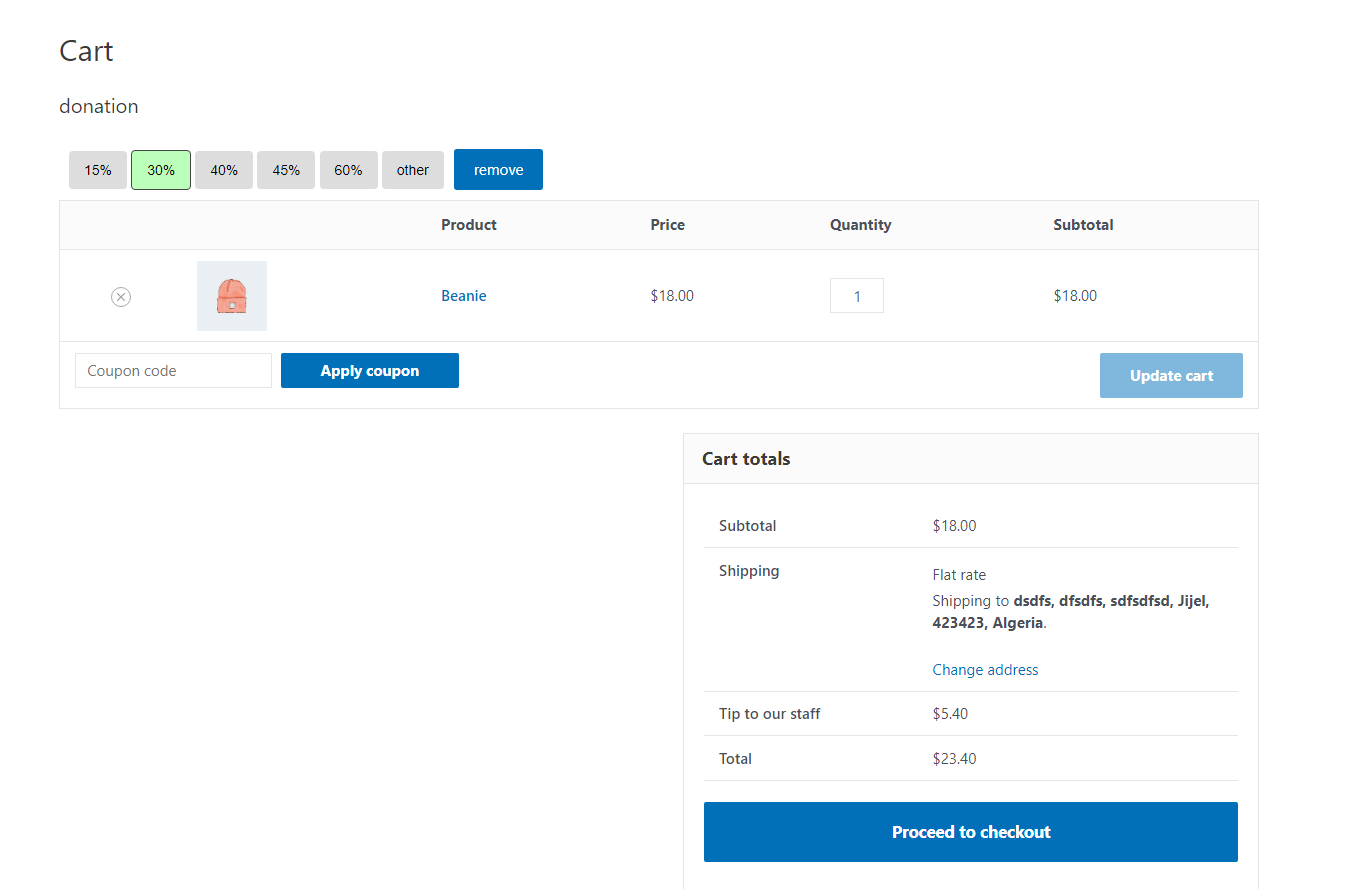
Donation field displayed on the WooCommerce cart page 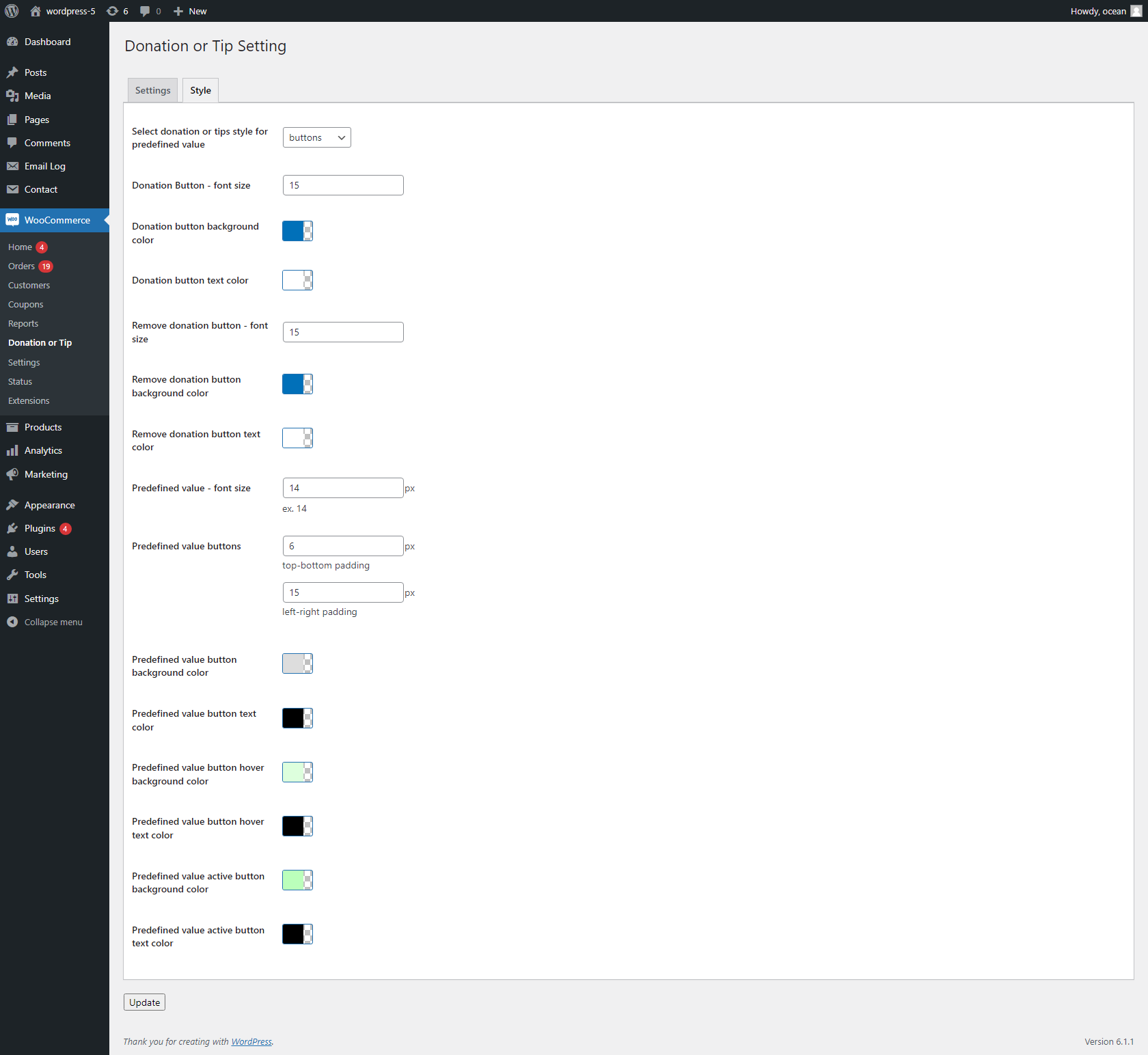
Donation field displayed on the WooCommerce checkout page 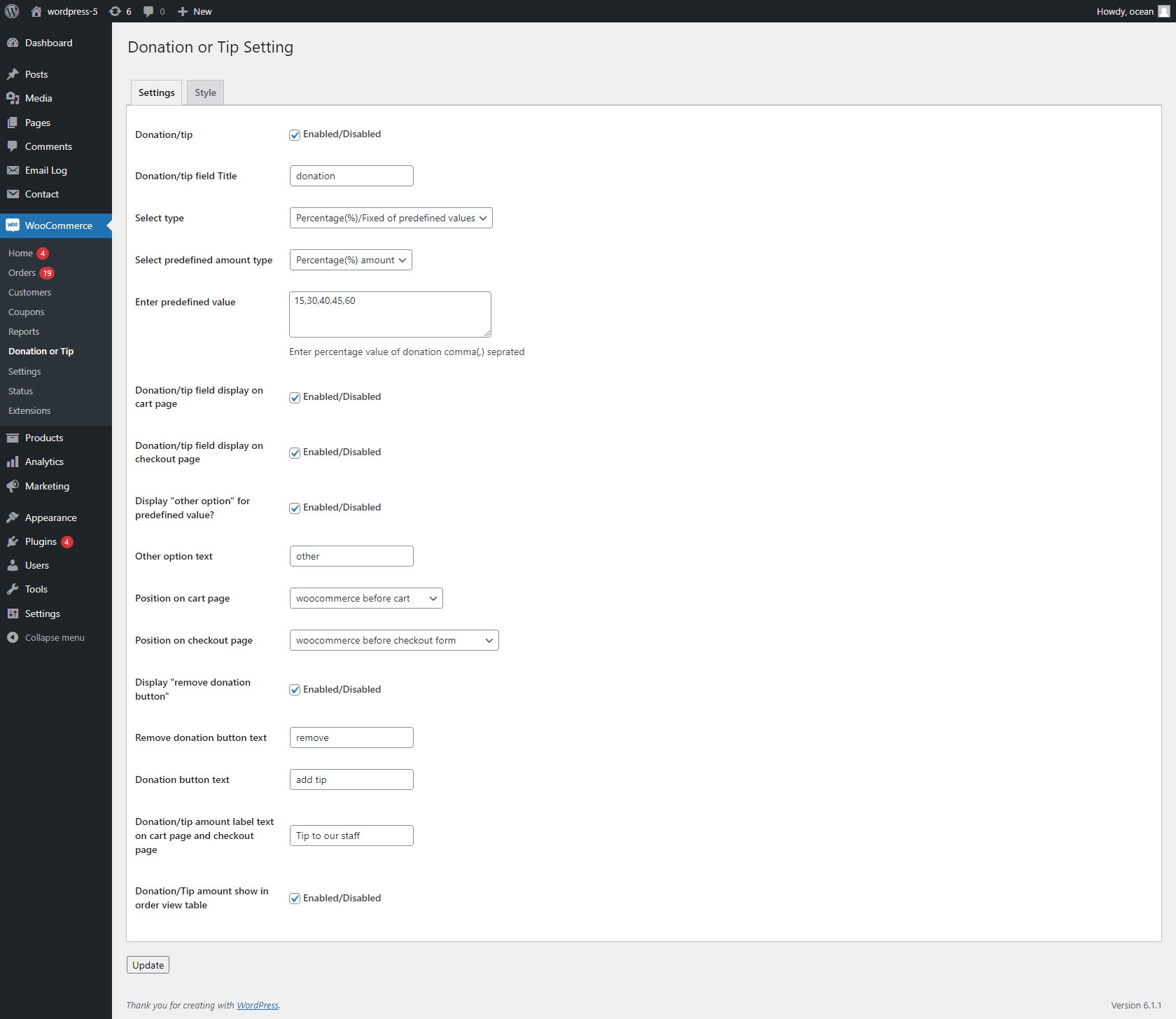
Admin settings panel — general options 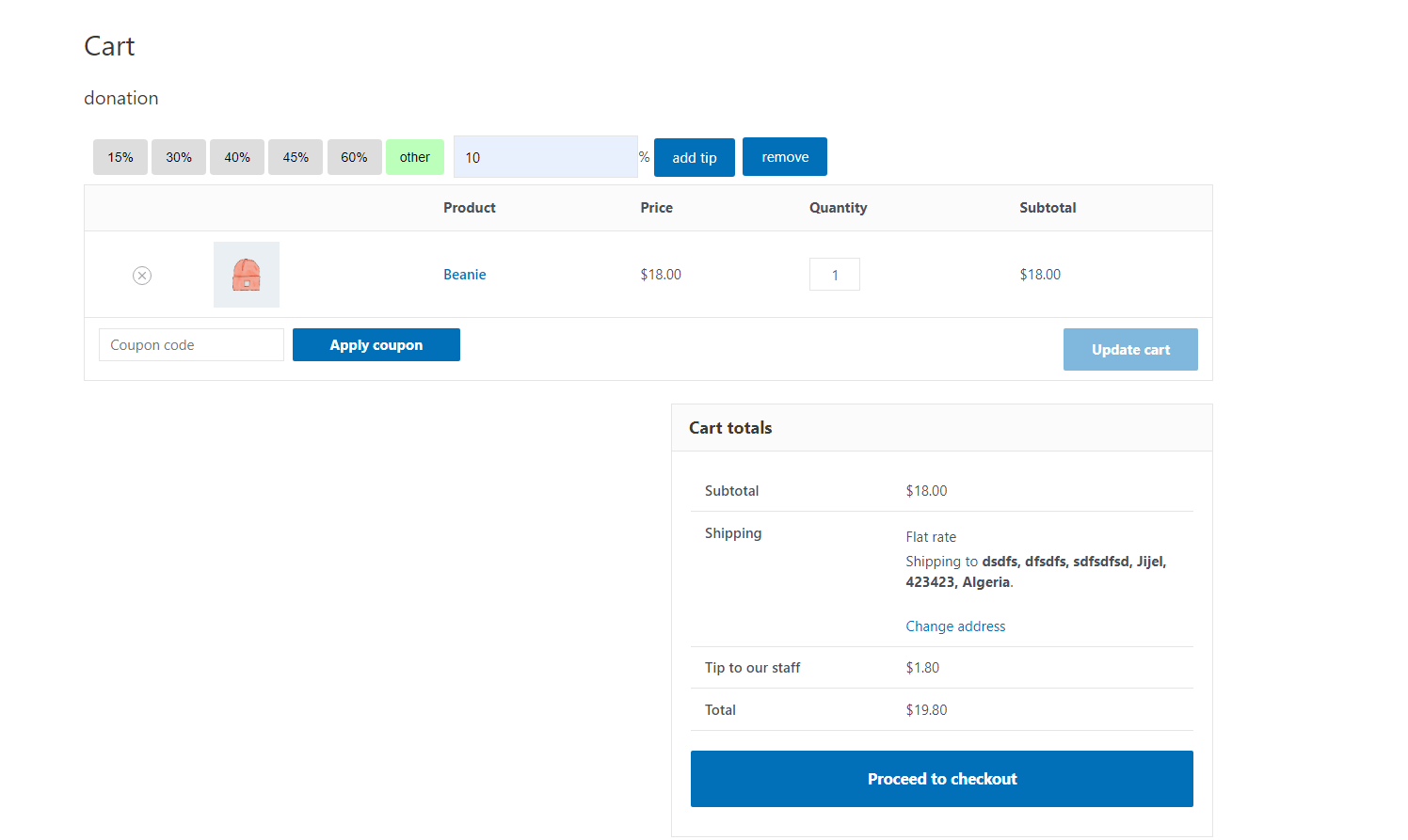
Predefined amount buttons style 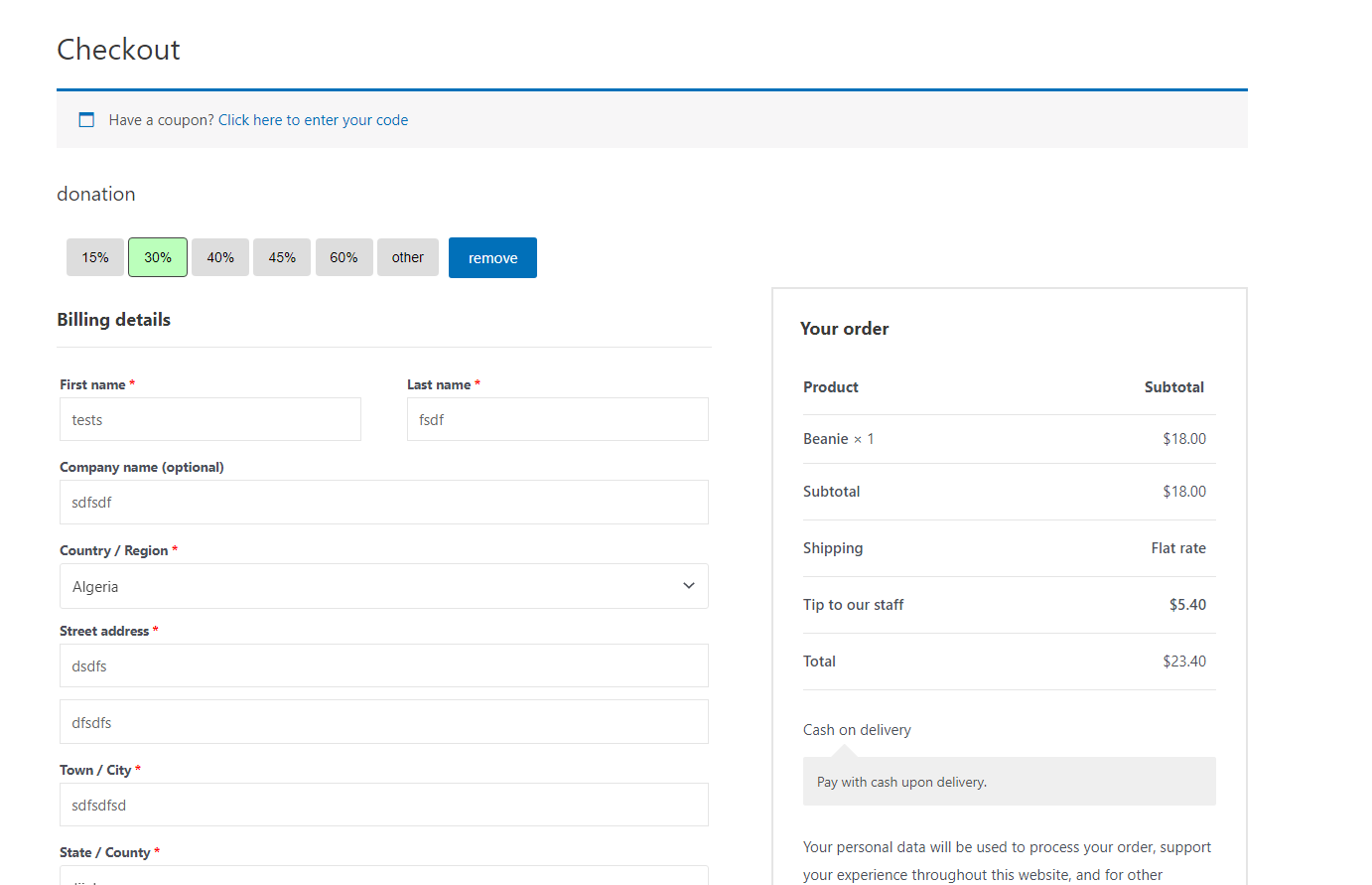
Predefined amount dropdown style 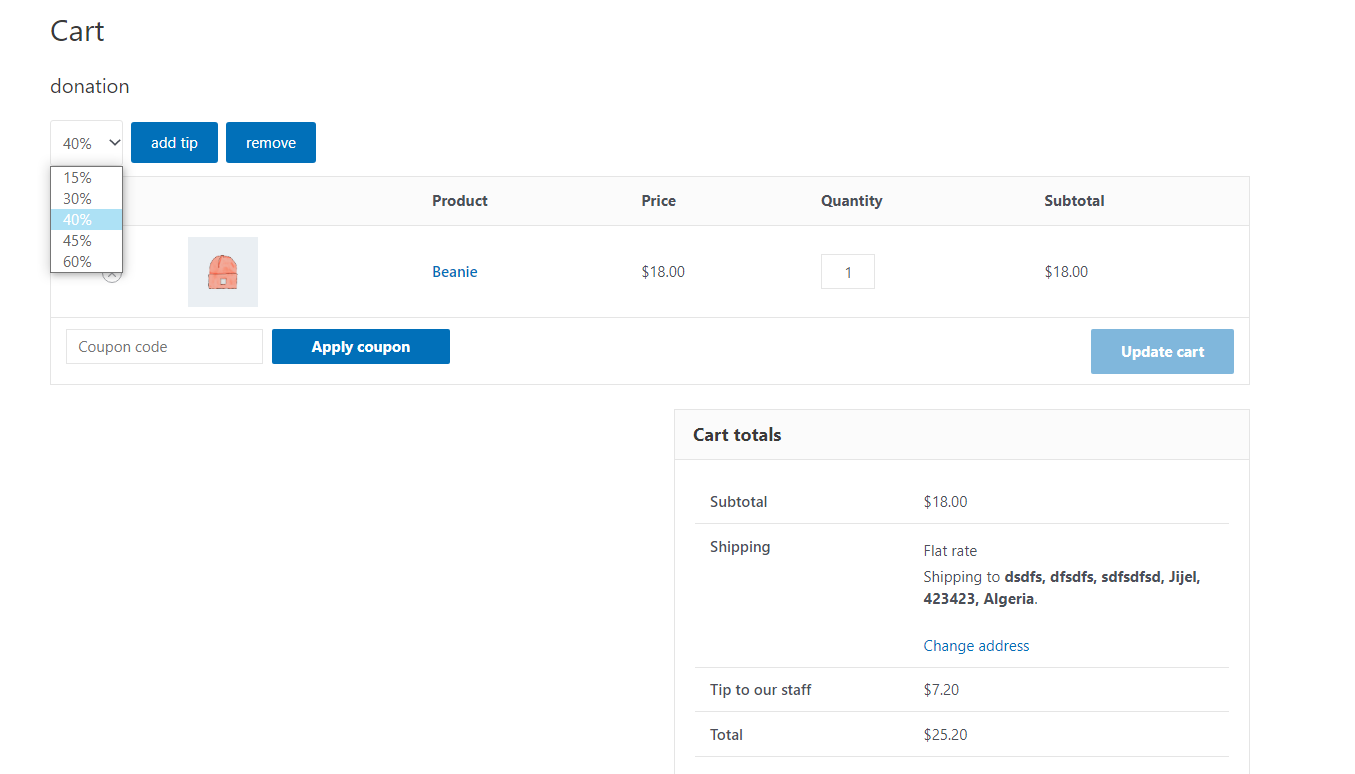
Custom amount (free text) input field 
Color and font size customization settings 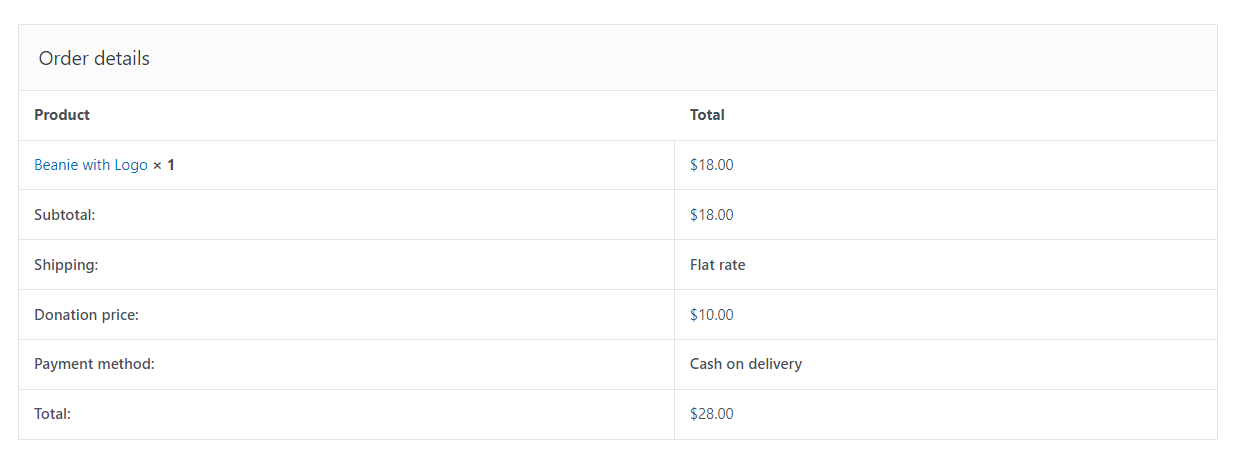
Donation amount shown in the order view table 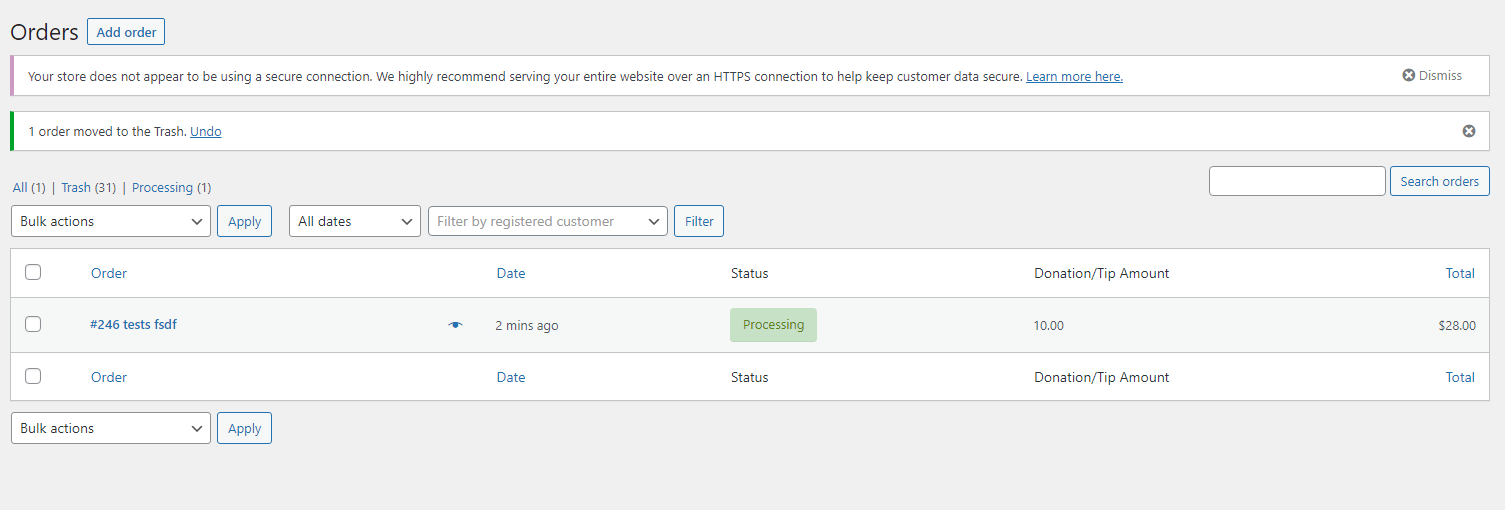
Remove/clear donation button in action 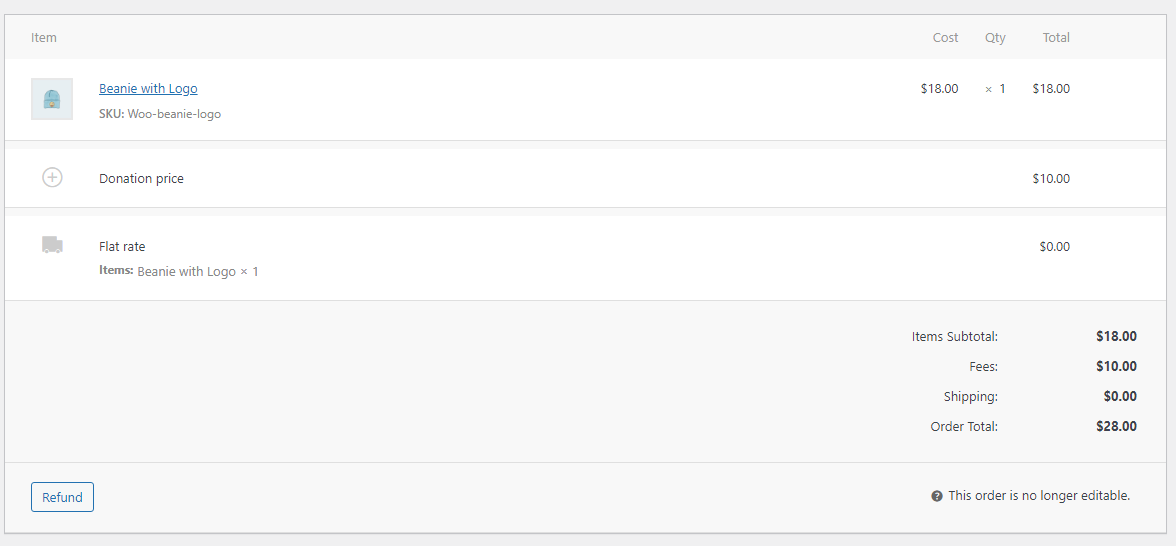
Mobile-responsive cart page with donation field 
WooCommerce order admin view with donation line item
Installation
- Upload the
donation-or-tip-for-woocommercefolder to the/wp-content/plugins/directory, or install directly via the WordPress plugin installer. - Activate the plugin from the Plugins menu in WordPress.
- Go to WooCommerce Donation/Tip Settings to configure the plugin.
- Enable the donation field on your cart and/or checkout page and start collecting.
Requirements:
* WordPress 5.0 or higher
* WooCommerce (latest version recommended)
* PHP 5.0 or higher
Reviews


Contributors & Developers
“Donation or Tip For WooCommerce” is open source software. The following people have contributed to this plugin.
Contributors
Translate “Donation or Tip For WooCommerce” into your language.
Interested in development?
Browse the code, check out the SVN repository, or subscribe to the development log by RSS.
Changelog
1.0
- Initial release
- Donation/tip field for WooCommerce cart and checkout pages
- Support for fixed and percentage-based predefined amounts
- Custom amount (free text) input option
- Button and dropdown display styles
- Full color, text, and font size customization
- Enable/disable donation remove button
- Donation amount displayed on order view table