

Description
Turn your WordPress site into a LeadConnector-powered conversion engine.
LeadConnector connects WordPress with your LeadConnector CRM so your site can capture leads, book appointments, publish funnels, display reviews, and personalize content from one connected admin experience.
Key Features
- Lead capture tools: Add chat widgets, forms, surveys, quizzes, calendars, phone pools, and reviews widgets.
- Funnel publishing: Import LeadConnector funnel steps as WordPress pages using iframe, redirect, or native HTML display.
- CRM personalization: Sync LeadConnector custom values into WordPress content.
- Email and SEO: Send WordPress email through LeadConnector SMTP and manage page metadata.
- AI and cache tools: Use supported AI Pages workflows and purge Rocket.net cache when configured.
Screenshots
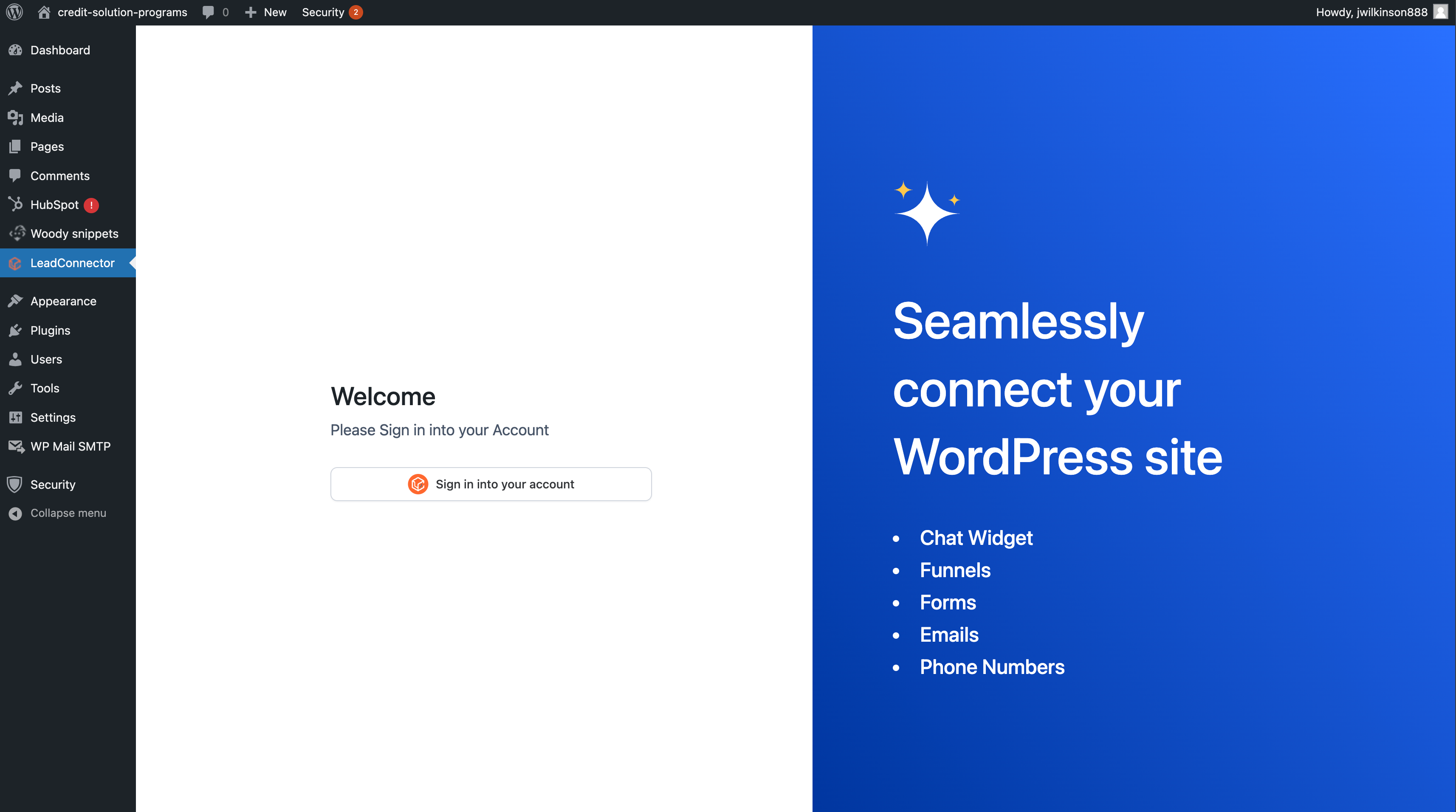
LeadConnector settings and account connection screen. 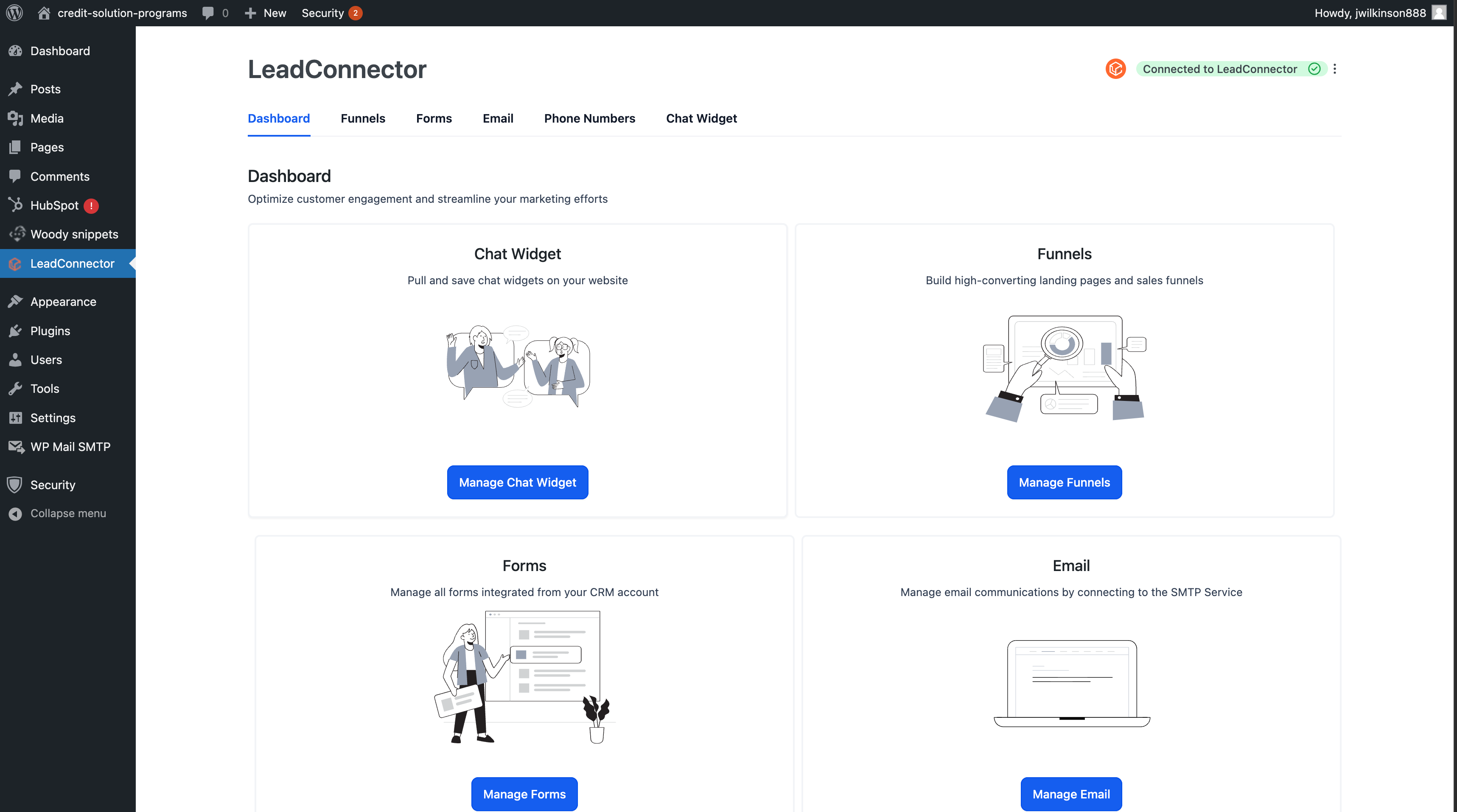
Chat widget setup and widget selection. 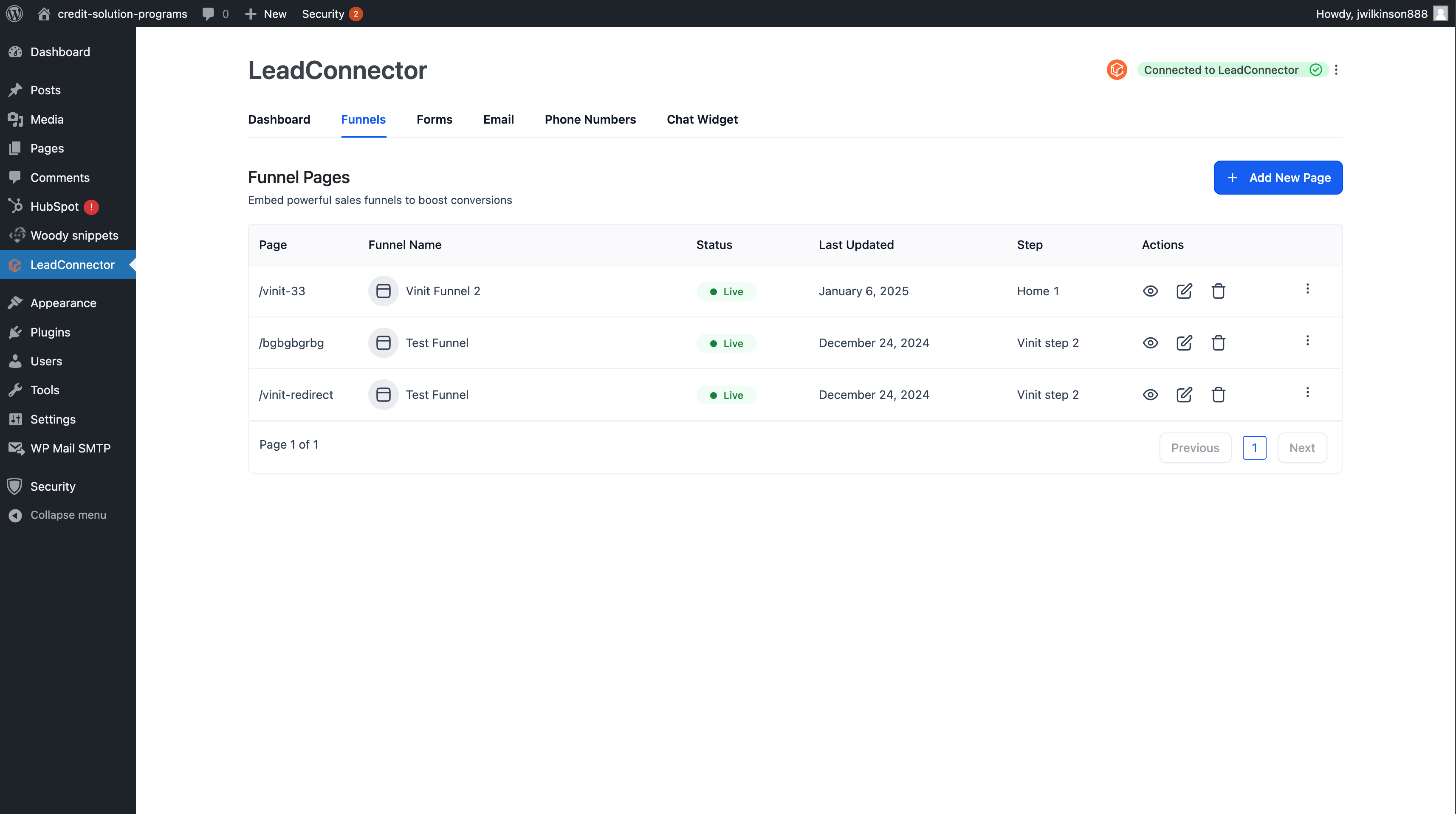
Chat widget preview on the website. 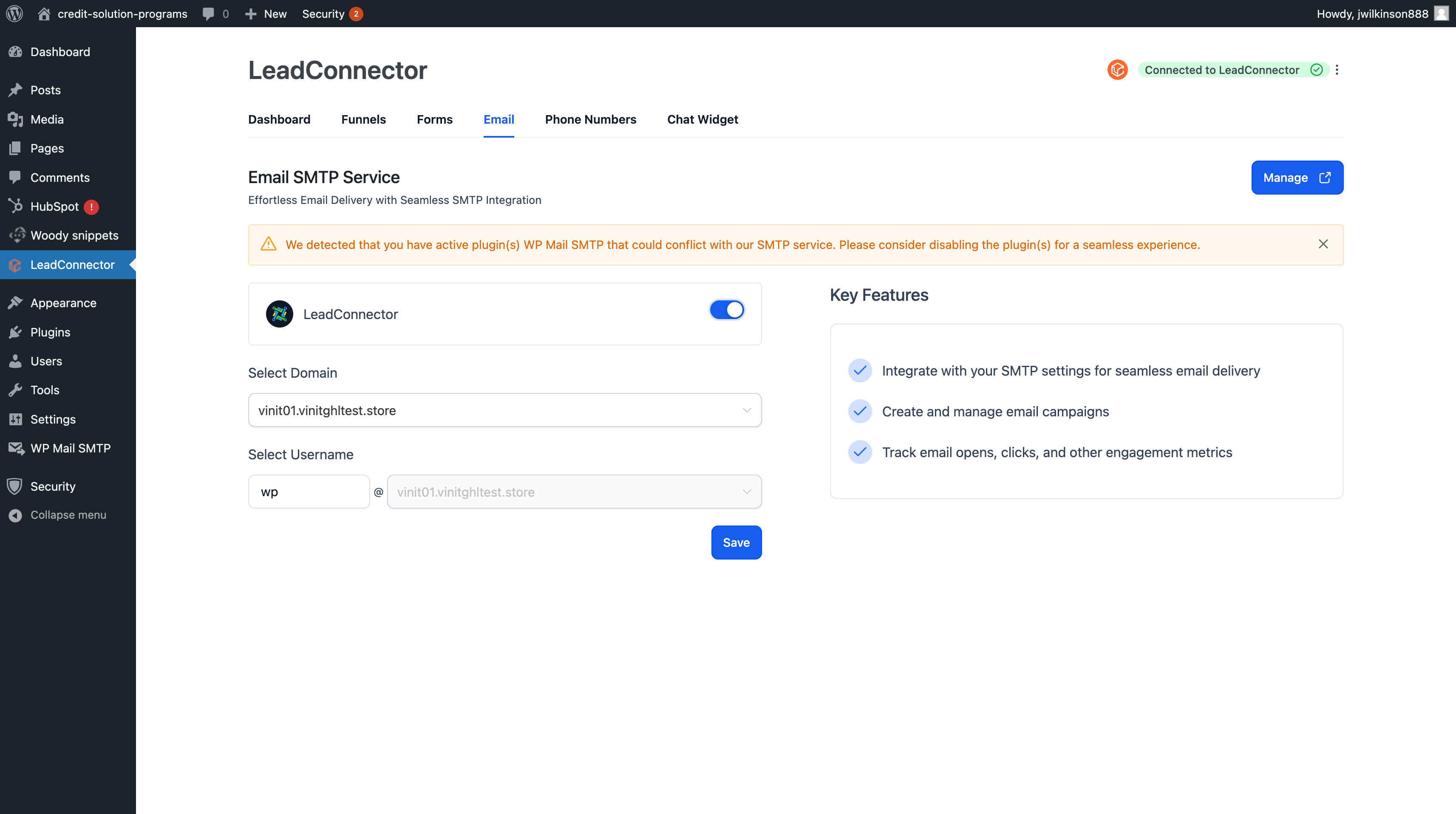
Add and edit LeadConnector funnel steps as WordPress pages. 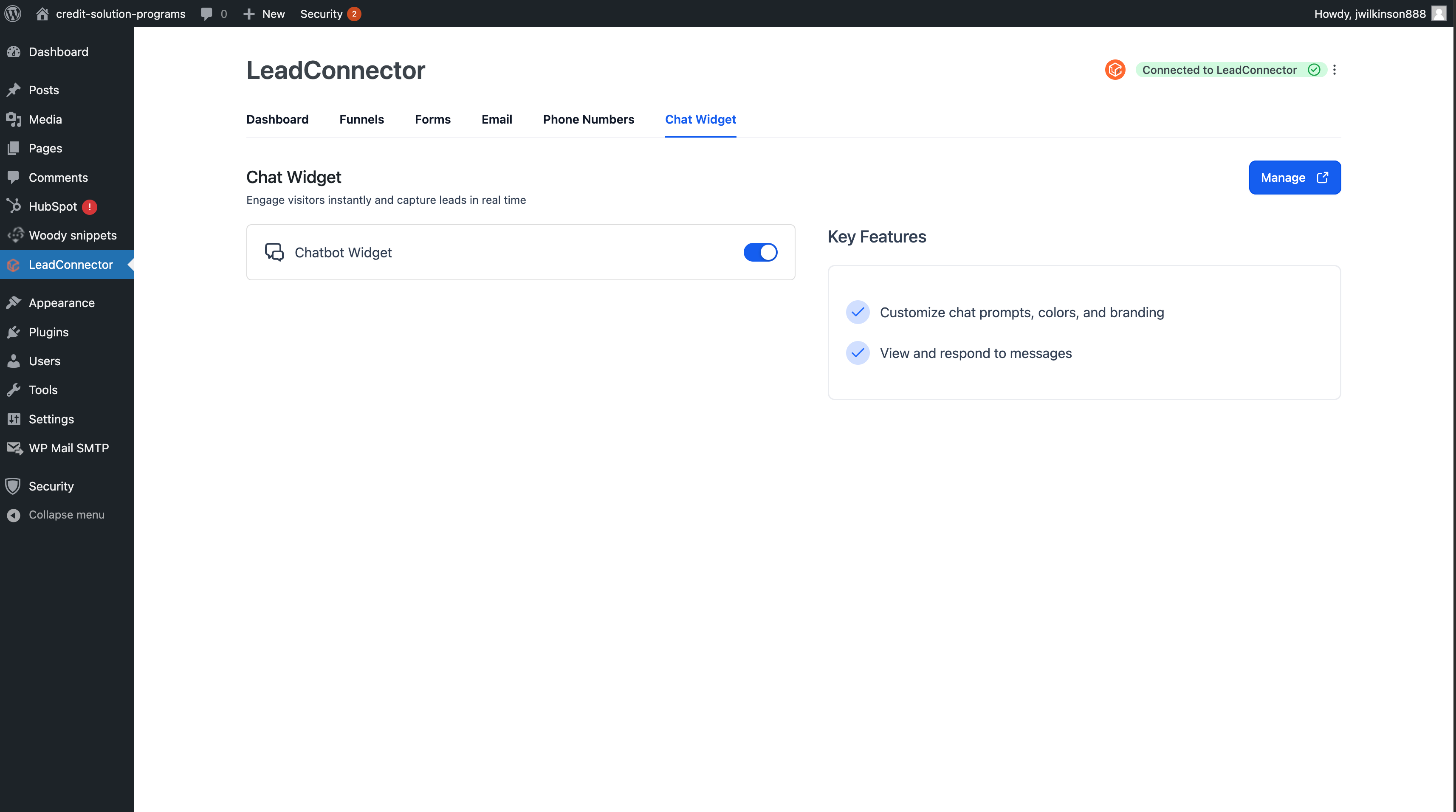
View and manage published LeadConnector pages.
Installation
Minimum Requirements
- WordPress 6.2 or greater
- PHP 7.4 or greater
Recommended Environment
- WordPress 6.4 or greater
- PHP 7.4.9 or greater
- WordPress memory limit of 64 MB or greater; 128 MB or higher is preferred
Setup
- Install LeadConnector from the WordPress plugin installer, or upload the plugin folder to
/wp-content/plugins/. - Activate the plugin from the WordPress Plugins screen.
- Go to LeadConnector in the WordPress admin menu.
- Connect your LeadConnector account.
- Select your location and enable the tools you want to use.
FAQ
-
Do I need a LeadConnector account?
-
Yes. You need an active LeadConnector account and a connected location to use the CRM-connected features.
-
Is the plugin free?
-
The WordPress plugin is free. A LeadConnector subscription may be required to use connected services such as widgets, funnels, forms, calendars, email, and CRM tools.
-
How do I connect my LeadConnector account?
-
Open LeadConnector in the WordPress admin menu and follow the connection flow. Settings changes use authenticated WordPress admin requests.
-
How do I add the chat widget to my site?
-
Open LeadConnector > Chat Widget, enable the widget, and select the widget you want to display. The plugin loads the selected LeadConnector chat widget on your WordPress site.
-
How do I publish a LeadConnector funnel in WordPress?
-
Open LeadConnector > Funnels, choose a funnel and funnel step, set the WordPress slug, and publish it. Funnel pages are stored in WordPress as LeadConnector funnel content and routed through the selected display method.
-
What shortcodes are available?
-
The plugin includes
[leadconnector_form],[leadconnector_calendar],[leadconnector_survey],[leadconnector_quiz],[leadconnector_reviews_widget], and[leadconnector_phone_number_pool]. The historical[lc_*]aliases remain registered for backward compatibility and will be removed in a future major release. -
Does the plugin work with Elementor and other page builders?
-
Yes. The plugin includes Elementor-specific compatibility support and frontend styles for supported LeadConnector funnel pages. Compatibility can vary by theme, template, and builder configuration.
-
Does the plugin support RTL languages?
-
Yes. LeadConnector includes Right-to-Left language support for supported plugin screens and frontend output.
-
External Services
-
LeadConnector is a CRM/marketing platform operated by LeadConnector LLC. This WordPress plugin is a thin client for that platform: connecting WordPress to your LeadConnector account, embedding chat widgets, forms, calendars, surveys, quizzes, reviews, and phone-tracking pools, importing and rendering funnel pages, opening the LeadConnector authorization flow, and optionally purging an external CDN cache. Every feature that needs the LeadConnector platform will cause one or more HTTP requests to LeadConnector-owned hosts (and, for form-embed support, a sibling messaging host). This section documents every external host the plugin reaches out to, why, when, what data crosses the wire, and what does not.
All LeadConnector-owned hosts (
leadconnectorhq.com,msgsndr.com,reputationhub.sitesubdomains listed below) are governed by the same LeadConnector terms of service and privacy policy:- Terms of service: https://www.leadconnectorhq.com/terms2
- Privacy policy: https://www.leadconnectorhq.com/privacy-policy
Each domain block below repeats the per-domain links so reviewers (and end users) can verify them in place. Calls to these hosts only happen when the corresponding feature is enabled, configured, or used. A feature that is disabled, an empty configuration value, or a shortcode that is not present on the page will not trigger any of these requests.
-
services.leadconnectorhq.com (admin / server-to-server and chat widget browser endpoints)
-
- What it is: LeadConnector’s authenticated services API. The plugin’s primary read/write surface for account and configuration data, OAuth token exchange / refresh, optional CDN cache purge, chat-widget service endpoints, and one allowlisted host for optional funnel tracking-code downloads supplied by LeadConnector during import.
- What is sent:
- OAuth access token (Authorization: Bearer header) when an admin has connected their account; OAuth refresh token during token-refresh calls only.
- Connected location ID.
- Plugin settings being saved (chat widget selection, SMTP enable flag and configuration, SEO override fields, white-label URL, AI Pages flags).
- Funnel/page identifiers and the WordPress post ID they were imported into (during funnel import, refresh, and native-mode warm-up).
- Custom-value field keys for the connected location during the admin “sync custom values” action.
- Cache-purge target identifiers (
{locationId},{wpId}) inside the URL path when CDN purge fires; no request body is sent for cache-purge calls. - Chat-widget service URL configuration is exposed to the widget loader through script
data-*attributes when the chat widget is enabled. - Optional funnel tracking-code download URL when LeadConnector supplies a download URL on this host during import / publish.
- When sent (admin-triggered server-side requests only):
- OAuth connect / disconnect flow (admin clicks “Connect to LeadConnector” or “Disconnect”).
- OAuth token refresh (background WP-Cron task
leadconnector_oauth_token_refresh_cron, fired only when a connected access token is approaching expiry). - Settings save on the LeadConnector admin screen.
- Funnel browse, import, and refresh actions (admin clicks “Import” / “Refresh” inside the LeadConnector funnels UI).
- Custom-value listing and sync action.
- SMTP enable / disable / test send actions.
- Reviews widget admin browsing.
- Admin REST proxy requests that target an allowlisted full URL on this host.
- CDN cache purge (see below for triggers).
- CDN cache-purge triggers (only when
CDN_WP_IDorCDN_SITE_IDis defined inwp-config.phpand an active OAuth session exists). The plugin sends an authenticated empty-bodyPOSTtoservices.leadconnectorhq.com/wordpress/lc-plugin/site/{locationId}/{wpId}/clear-cacheon:- A connected WordPress administrator clicking “Purge everything on all domains” in the admin bar.
- The LeadConnector settings page being saved.
- A public post (any post type registered with
public => true, including standardpost,page, WooCommerce products, and third-party CPTs) being published or updated via WordPress’ssave_posthook. Auto-saves, revisions, and non-public post types are skipped.
- Custom-value placeholder fallback (a single front-end-render code path): when a
{{custom_values.…}}placeholder is referenced on a public page and the local transient cache is cold for that key, the public renderer falls back to an authenticated read fromservices.leadconnectorhq.comusing the admin-issued OAuth bearer that the site has stored. The fallback is a read-only lookup; no visitor data is forwarded. - Visitor browser trigger: when the chat widget is enabled, the browser loads
widgets.leadconnectorhq.com/loader.jswithdata-server-u-r-landdata-marketplace-u-r-lvalues pointing atservices.leadconnectorhq.com; the widget may contact those service endpoints directly. Browser requests include the selected widget configuration plus normal browser metadata (IP address, User-Agent, Referer, language headers, and any cookies the host previously set). - What is not sent by PHP server-to-server calls: WordPress administrator credentials, password hashes, WordPress secret keys/salts, WordPress authentication cookies, other plugins’ data, visitor IP, visitor User-Agent, or visitor referrer. Chat-widget browser requests are initiated by the visitor’s browser and carry normal browser metadata as described above.
- Service: provided by LeadConnector LLC.
- Service terms: https://www.leadconnectorhq.com/terms2
- Privacy policy: https://www.leadconnectorhq.com/privacy-policy
-
rest.leadconnectorhq.com (admin / server-to-server)
-
- What it is: LeadConnector’s REST API. Used by legacy admin flows that have not yet migrated to
services.leadconnectorhq.comand as one allowlisted host for optional funnel tracking-code downloads supplied by LeadConnector during import. - What is sent: the LeadConnector API key (when API-key auth is configured instead of OAuth), location ID, page/funnel IDs, custom-value keys, and request parameters required by the admin action. For optional tracking-code downloads, WordPress sends a server-side
GETto the LeadConnector-supplied download URL. - When sent: admin-triggered actions only – account validation against the REST API, certain custom-value reads, certain legacy data pulls, admin REST proxy requests that target an allowlisted full URL on this host, and funnel import / publish when the supplied tracking download URL points to this host. The plugin never calls this host from the public render path.
- What is not sent: WordPress admin credentials, WordPress secrets, WordPress auth cookies, visitor data.
- Service: provided by LeadConnector LLC.
- Service terms: https://www.leadconnectorhq.com/terms2
- Privacy policy: https://www.leadconnectorhq.com/privacy-policy
- What it is: LeadConnector’s REST API. Used by legacy admin flows that have not yet migrated to
-
api.leadconnectorhq.com (front-end browser **and** admin server-to-server)
-
- What it is: LeadConnector’s public widget and asset host. It serves browser-loaded JavaScript / iframes for embeds, allowlisted admin REST proxy targets, and optional funnel tracking-code downloads supplied by LeadConnector during import.
- Front-end browser triggers (visitor’s browser contacts the host directly):
[leadconnector_phone_number_pool id="…"]shortcode loadshttps://api.leadconnectorhq.com/loc/{locationId}/pool/{poolId}/number_pool.jsandhttps://api.leadconnectorhq.com/js/user_session.js.[leadconnector_form id="…"]shortcode renders an iframe pointing athttps://api.leadconnectorhq.com/widget/form/{formId}.[leadconnector_survey id="…"]shortcode renders an iframe pointing athttps://api.leadconnectorhq.com/widget/survey/{surveyId}.[leadconnector_quiz id="…"]shortcode renders an iframe pointing athttps://api.leadconnectorhq.com/widget/quiz/{quizId}.[leadconnector_calendar slug="…"]shortcode renders an iframe pointing athttps://api.leadconnectorhq.com/widget/booking/{slug}.- The shortcodes also enqueue
https://link.msgsndr.com/js/form_embed.js(see thelink.msgsndr.comblock below) which is what allows the iframes to resize.
- Data the visitor’s browser sends to
api.leadconnectorhq.comwhen those embeds load: the configured identifier in the URL (location/pool/form/survey/quiz/calendar slug), plus whatever the visitor’s browser includes automatically (IP address, User-Agent, Referer, language headers, and any cookies the host previously set in this browser). Anything the visitor subsequently types into an embedded LeadConnector form, survey, quiz, calendar booking, or chat is submitted directly from the visitor’s browser to LeadConnector’s services and is governed by the LeadConnector privacy policy. - Funnel display trigger: if a published funnel step is configured to redirect to an
api.leadconnectorhq.comURL, the visitor’s browser is redirected there. In native mode, the funnel HTML is fetched fromapp.leadconnectorhq.com, but scripts or stylesheets inside that upstream HTML may referenceapi.leadconnectorhq.com; those assets are re-emitted only when they pass the native-mode allowlists documented below. - Admin server-to-server triggers:
- Certain admin REST data pulls (calendar lists, reviews widget metadata, related lookups) target
api.leadconnectorhq.comwith the OAuth bearer. - The admin REST proxy accepts
direct_endpoint=trueonly for an allowlisted LeadConnector URL. If an administrator action requests an allowlisted full URL onapi.leadconnectorhq.com, WordPress performs a server-sideGETto that URL. - During funnel import / publish, WordPress may fetch a LeadConnector-supplied tracking-code download URL on this host.
- Certain admin REST data pulls (calendar lists, reviews widget metadata, related lookups) target
- What is not sent by the plugin itself: WordPress admin credentials, WordPress secrets, WordPress auth cookies, other plugins’ data. The plugin does not proxy visitor input through PHP; it embeds the iframes/scripts directly.
- Service: provided by LeadConnector LLC.
- Service terms: https://www.leadconnectorhq.com/terms2
- Privacy policy: https://www.leadconnectorhq.com/privacy-policy
-
backend.leadconnectorhq.com (admin / server-to-server)
-
- What it is: LeadConnector’s marketplace backend.
- What is sent: OAuth bearer, location ID, marketplace identifiers, page IDs, template IDs, and funnel-step identifiers required to retrieve page metadata during import.
- When sent: admin-triggered marketplace and funnel-template browsing, import, sync, and publish actions inside the LeadConnector admin UI, plus admin REST proxy requests that target an allowlisted full URL on this host.
- What is not sent: visitor data, WordPress secrets, WordPress auth cookies.
- Service: provided by LeadConnector LLC.
- Service terms: https://www.leadconnectorhq.com/terms2
- Privacy policy: https://www.leadconnectorhq.com/privacy-policy
-
app.leadconnectorhq.com (admin **and** front-end)
-
- What it is: LeadConnector’s customer-facing application host. The funnel HTML that gets rendered as a WordPress page lives here.
- Admin triggers: the funnel import / refresh flow performs an authenticated
wp_remote_get()againsthttps://app.leadconnectorhq.com/{path}to fetch the funnel step HTML so it can be stored in WordPress. The OAuth bearer is sent; the visitor never sees this request. The admin UI may also open connected LeadConnector app screens in the administrator’s browser, and the admin REST proxy may request an allowlisted full URL on this host. - Optional server-side tracking download: during funnel import / publish, WordPress may fetch a LeadConnector-supplied tracking-code download URL on this host.
- Front-end triggers depend on the funnel page’s configured display mode (set per funnel post):
- iframe mode – The visitor’s browser loads
https://app.leadconnectorhq.com/{funnelStepPath}inside an<iframe>. The visitor’s browser sends its IP, User-Agent, Referer, and any cookies LeadConnector has previously set. Visitor interactions with the funnel happen on LeadConnector. - native mode – WordPress fetches the funnel HTML server-side via
wp_remote_get()and re-emits it inside the current document. The visitor’s browser then loads any LeadConnector-owned sub-resources (scripts, stylesheets, images, fonts) that the funnel HTML references; those sub-resource loads carry the visitor’s IP, User-Agent, and Referer to whichever LeadConnector host they target. - redirect mode – The visitor is 301-redirected to a
https://app.leadconnectorhq.com/{funnelStepPath}URL (or to an admin-configured white-label host). All subsequent traffic happens entirely on the LeadConnector side; WordPress is no longer in the path.
- iframe mode – The visitor’s browser loads
- What is not sent: WordPress secrets, WordPress auth cookies, other plugins’ data. The native-mode fetch does not include any visitor identifier.
- Service: provided by LeadConnector LLC.
- Service terms: https://www.leadconnectorhq.com/terms2
- Privacy policy: https://www.leadconnectorhq.com/privacy-policy
-
widgets.leadconnectorhq.com (front-end browser)
-
- What it is: LeadConnector’s chat-widget CDN. Hosts the loader script that bootstraps the LeadConnector chat widget plus all its sub-resources (sub-loaders, fonts, images).
- Front-end trigger: every public-facing page render when the chat widget feature is enabled and a chat widget has been selected in the plugin settings. The plugin enqueues
https://widgets.leadconnectorhq.com/loader.jswithdata-widget-id,data-resources-url,data-server-u-r-l, anddata-marketplace-u-r-lattributes carrying the selected widget ID and the configured LeadConnector service URLs. The loader script then requests further assets from the same host and may contact the configuredservices.leadconnectorhq.com/formsservice endpoint. - Data the visitor’s browser sends: standard browser identifiers (IP, User-Agent, Referer, language), the selected widget ID via the script attribute, plus any cookies LeadConnector has previously set in this browser. Chat messages the visitor sends are transmitted from the visitor’s browser to LeadConnector’s services and are governed by the LeadConnector privacy policy.
- What is not sent by the plugin: WordPress credentials, WordPress secrets, WordPress auth cookies, content of WordPress posts, or visitor data not already embedded in the browser request.
- Service: provided by LeadConnector LLC.
- Service terms: https://www.leadconnectorhq.com/terms2
- Privacy policy: https://www.leadconnectorhq.com/privacy-policy
-
marketplace.leadconnectorhq.com (administrator browser)
-
- What it is: LeadConnector marketplace and OAuth authorization host.
- What is sent: OAuth authorization parameters such as the public client ID, redirect / callback URL, requested scopes, and state value when an administrator starts the connection flow. LeadConnector marketplace session cookies may be handled directly by LeadConnector in the administrator’s browser.
- When sent: when an administrator starts or completes the LeadConnector account connection flow or opens marketplace/account-management screens from wp-admin. Anonymous front-end visitors do not contact this host through the plugin.
- What is not sent by the plugin: visitor data, WordPress secrets, WordPress auth cookies, WordPress administrator passwords.
- Service: provided by LeadConnector LLC.
- Service terms: https://www.leadconnectorhq.com/terms2
- Privacy policy: https://www.leadconnectorhq.com/privacy-policy
-
link.msgsndr.com (front-end browser)
-
- What it is: LeadConnector’s messaging short-link and form-embed support host (msgsndr is a LeadConnector-operated brand). Hosts
form_embed.js, the shared bootstrap script that the form, survey, quiz, and calendar iframes need in order to resize themselves inside the host page. - Front-end trigger: any public page that renders a
[leadconnector_form],[leadconnector_survey],[leadconnector_quiz], or[leadconnector_calendar]shortcode (or one of their[lc_*]aliases). The plugin enqueueshttps://link.msgsndr.com/js/form_embed.js. - Data the visitor’s browser sends: standard browser identifiers (IP, User-Agent, Referer, language). The plugin itself does not forward any PII to this host; the loader’s job is in-page resizing.
- When a visitor clicks a
link.msgsndr.comshort-link inside LeadConnector-authored content, the browser navigates directly to LeadConnector; the plugin does not proxy or augment those clicks. - Service: provided by LeadConnector LLC (msgsndr brand).
- Service terms: https://www.leadconnectorhq.com/terms2
- Privacy policy: https://www.leadconnectorhq.com/privacy-policy
- What it is: LeadConnector’s messaging short-link and form-embed support host (msgsndr is a LeadConnector-operated brand). Hosts
-
reputationhub.site (front-end browser)
-
- What it is: LeadConnector’s reviews / reputation widget host (reputationhub is a LeadConnector-operated brand). Hosts the review-widget loader script and the widget iframe URL.
- Front-end trigger: any public page that renders a
[leadconnector_reviews_widget id="…"]shortcode (or its[lc_reviews_widget]alias) when both a location ID and a widget ID are configured. The plugin enqueueshttps://reputationhub.site/reputation/assets/review-widget.jsand emits an<iframe>pointing athttps://reputationhub.site/reputation/widgets/review_widget/{locationId}?widgetId={widgetId}. - Data the visitor’s browser sends: standard browser identifiers (IP, User-Agent, Referer, language), plus the location ID and widget ID in the iframe URL.
- What is not sent by the plugin: WordPress credentials, WordPress secrets, WordPress auth cookies, visitor PII not already embedded in the browser request.
- Service: provided by LeadConnector LLC (reputationhub brand).
- Service terms: https://www.leadconnectorhq.com/terms2
- Privacy policy: https://www.leadconnectorhq.com/privacy-policy
-
Summary: when the plugin reaches out
-
- Admin server-to-server (PHP
wp_remote_*()): OAuth connect/disconnect/refresh, settings save, funnel import/refresh, custom-value sync, SMTP setup, reviews/calendars/forms/quizzes/surveys listing, admin REST proxy requests, funnel tracking-code downloads, marketplace backend metadata pulls, CDN cache purge (when CDN integration is configured) on admin-bar click, settings save, andsave_postfor public post types. Hosts touched:services.leadconnectorhq.com,rest.leadconnectorhq.com,api.leadconnectorhq.com,backend.leadconnectorhq.com,app.leadconnectorhq.com. - Administrator browser: OAuth connection and account / marketplace screens. Host touched:
marketplace.leadconnectorhq.com. - Front-end browser (enqueued
<script>and rendered<iframe>): chat widget, phone number pool, form/survey/quiz/calendar embeds, reviews widget, funnel iframe / redirect / native sub-resources. Hosts touched:widgets.leadconnectorhq.com,services.leadconnectorhq.com,api.leadconnectorhq.com,link.msgsndr.com,reputationhub.site,app.leadconnectorhq.com. - Front-end PHP fallback (rare): an authenticated read from
services.leadconnectorhq.comif a{{custom_values.…}}placeholder is referenced on a public page and the local transient cache is cold for that key. The fallback uses the admin-issued OAuth bearer; no visitor data is forwarded. - Never: the plugin does not transmit WordPress administrator credentials, WordPress secret keys/salts, WordPress authentication cookies (
LOGGED_IN_COOKIE,SECURE_AUTH_COOKIE,AUTH_COOKIE), other plugins’ data, or any visitor data not already embedded in the visitor’s own outbound browser request, to any of the hosts listed above.
- Admin server-to-server (PHP
-
Native funnel rendering — trust boundary
-
LeadConnector funnel posts have two display modes that are configured per-funnel inside the funnel editor:
- iframe — the funnel HTML is embedded inside an
<iframe src="…leadconnectorhq.com…">on the WordPress page. The browser treats the funnel as a separate origin: its scripts, cookies, storage, and DOM are isolated from the WordPress site and from every other plugin/theme on the site. This is the safest display mode and is the default for the majority of funnels. - native — the funnel HTML is fetched server-side via
wp_remote_get()against an allowlisted LeadConnector host, parsed, sanitized viawp_kses()against a strict allowlist, and emitted inline on the WordPress page. Any<script>and<style>blocks extracted from the upstream HTML are re-emitted via the WordPress script/style APIs (wp_print_inline_script_tag(),wp_add_inline_style()) so the funnel’s CSS selectors and JavaScript run intact. This mode exists for one explicit reason: funnels that take payments (Stripe, PayPal, Apple Pay) and other in-page integrations refuse to run inside an<iframe>for PCI / 3D Secure reasons, so the funnel content must be rendered on the WordPress origin for the checkout to complete.
When a funnel is displayed in native mode, vendor-authored LeadConnector CSS and JavaScript loads and executes on your WordPress origin. This is a deliberate trust extension from the WordPress site to LeadConnector, comparable to embedding Stripe.js or Google Tag Manager directly. To make that boundary explicit and auditable, the plugin applies the following layered controls (since 3.0.32):
- Admin opt-in toggle (default: enabled). Native rendering is gated on a single site-wide option (
leadconnector_native_mode_allowed). When it is OFF, every funnel post withdisplay_method = nativeis silently downgraded to the iframe display path so no remote LeadConnector JavaScript runs on the WP origin. Site owners who do not run payment funnels (or who want a stricter security posture) can switch the toggle off. Administrators see a persistent admin notice describing the current state. - Per-host
<script src>allowlist. Any<script src>URL extracted from the upstream funnel HTML is validated against a host allowlist before it is enqueued. Entries may be exact hostnames (applepay.cdn-apple.com,connect.facebook.net) or subdomain wildcards (*.foo.commatches any direct or nested subdomain offoo.combut never the apex). The default allowlist covers (a)*.leadconnectorhq.comand the apexleadconnectorhq.com— this includesapp,services,rest,api,backend,widgets,marketplace,stcdn(LC static CDN that hosts the funnel runtime bundles,intl-tel-input,libphonenumber-js), andimages(LC’s funnel image proxy), (b) LeadConnector-operated sibling brands (*.msgsndr.com,msgsndr.com,*.reputationhub.site,reputationhub.site), (c) LC’s media-storage CDN (*.filesafe.space), (d) the Google-hosted CDNs LC funnels commonly load static assets and fonts from (*.googleapis.com,*.gstatic.com), (e) Bunny Fonts — LC’s default privacy-focused font CDN (*.bunny.net), (f) the payment-processor JS that funnel checkouts integrate with (*.stripe.com,*.stripe.network,*.paypal.com,*.paypalobjects.com,applepay.cdn-apple.com), and (g) the tag managers / analytics that funnels commonly embed (*.googletagmanager.com,*.google-analytics.com,connect.facebook.net,*.facebook.net). Off-allowlist<script src>URLs are dropped entirely; the surrounding markup is still rendered. Sites that need to register additional payment-processor or analytics hosts can use theleadconnector_funnel_allowed_script_hostsfilter (which accepts both exact hosts and*.host.tldwildcard entries). - Content-Security-Policy
<meta>tag. Every native-mode funnel page emits a<meta http-equiv="Content-Security-Policy" …>tag inside<head>so that browsers enforce a strict policy on subsequent fetches. The default policy:- Pins
default-srcto'self'. - Limits
script-srcto the same wildcard host allowlist described in (2) —<script src>URLs outside the allowlist are blocked at the browser layer in addition to being stripped at the server layer. - Uses
style-src 'self' 'unsafe-inline' https:,img-src 'self' data: blob: https:,font-src 'self' data: https:, andmedia-src 'self' data: blob: https:. Stylesheets, images, fonts, and media have effectively no JS-execution surface in modern browsers, and funnels routinely pull these from a long tail of vendor-chosen CDNs (Bunny Fonts, Google Fonts, the merchant’s own CDN, payment-processor checkouts, embedded video preview hosts, etc.). The dangerous CSS payloads (expression(…),behavior:,-moz-binding,javascript:URIs inurl()) are already neutralized bysanitize_extracted_inline_css()before any remote CSS is enqueued, so this directive is defense-in-depth rather than the primary control. - Scopes
connect-srcandform-actionto the same wildcard host allowlist plushttps:to allow legitimate vendor telemetry / form endpoints while still blockingdata:/blob:/http:exfil. - Scopes
frame-srcto the canonical funnel-embed providers (*.leadconnectorhq.com,*.msgsndr.com, Stripe Elements, PayPal Smart Buttons, YouTube, YouTube no-cookie, Vimeo, Google). - Forbids
<object>/ Flash / legacy plugins outright (object-src 'none'). - Refuses to be framed off-origin (
frame-ancestors 'self') — clickjacking guard. - Pins
base-uri 'self'so a future malicious<base href>can’t rewrite every relative URL on the document to an attacker-controlled host. - Sites can extend or replace the directive map with the
leadconnector_native_mode_csp_directivesfilter; returning an empty array disables CSP emission for the request.
- Pins
- Inline CSS allowlist sanitization (3.0.32). Inline
<style>content extracted from the upstream funnel HTML is passed throughLeadConnector_Admin::sanitize_extracted_inline_css()before reachingwp_add_inline_style(). The sanitizer strips embedded HTML tag fragments (</style>,<script>,<iframe>, …), legacy CSS XSS vectors (expression( … ),-moz-binding, IEbehavior:), and dangerous URI schemes (javascript:,vbscript:,livescript:,mocha:,jar:,file:,phar:).data:URIs are restricted toimage/*,font/*, andapplication/font-*MIME types.@importrules are dropped entirely (external stylesheets continue through the<link rel=stylesheet>branch withesc_url()and an explicithttp/httpsprotocol allowlist). - No WordPress secret cross-over. Native rendering never reads
LOGGED_IN_KEY,LOGGED_IN_SALT,LOGGED_IN_COOKIE,SECURE_AUTH_COOKIE, orAUTH_COOKIE. The deferred custom-values write that used to forward those cookies through a plugin-generated loopback request was removed in 3.0.32 and replaced with awp_schedule_single_event()cron handler.
If you do not run funnels that need payment processors or other in-page integrations, the safest configuration is: flip the “Allow native funnel rendering” toggle off in LeadConnector settings. Every native funnel will then be served via the iframe path, and the WordPress origin will not execute any remote LeadConnector JavaScript.
- iframe — the funnel HTML is embedded inside an
-
OAuth client ID
-
The plugin ships with a public OAuth client ID constant (
LEAD_CONNECTOR_OAUTH_CLIENT_ID) used only to start the LeadConnector authorization flow. It is not a secret. Sites may override it inwp-config.php:define( 'LEAD_CONNECTOR_OAUTH_CLIENT_ID', 'your-client-id' ); -
Source Code
-
The WordPress.org distribution includes compiled JavaScript for the LeadConnector admin UI (
admin/app.js,admin/chunk-vendors.js). Human-readable source, build instructions, and version history live in the public repository:https://github.com/LeadConnectorHQ/leadconnector-fe
-
Debug Logging
-
Debug logging is off by default. Enable it for support sessions only:
define( 'LEADCONNECTOR_DEBUG', true );inwp-config.php, or- Enable WordPress core
WP_DEBUG+WP_DEBUG_LOG.
When logging is enabled the plugin writes daily files to:
WP_CONTENT_DIR/leadconnector-logs/leadconnector-YYYY-MM-DD.log(default)- Override with
define( 'LEADCONNECTOR_LOG_DIR', '/path/outside/webroot/leadconnector-logs' );
OAuth tokens, refresh tokens, API keys, SMTP passwords, the OAuth
codequery parameter, andAuthorization:headers are redacted by the logger before lines are written. Context payloads larger than 2 KB are truncated. The directory is created with anindex.phpstub and (under Apache) a.htaccess“Deny from all” file.Under nginx or Caddy the generated
.htaccessis ignored. Add the following snippet to your server block (adjust paths to match your install):location ^~ /wp-content/leadconnector-logs/ { deny all; return 403; }For Caddy:
@leadconnectorLogs path /wp-content/leadconnector-logs/*
respond @leadconnectorLogs 403
For Apache 2.4+ where the
.htaccesshas been allowed, the bundled directive uses the modernRequire all denieddirective automatically. -
Uninstalling
-
By default, uninstalling the plugin leaves your stored settings, funnel pages, and custom values in the database. To remove all plugin data on uninstall, set one of the following before deleting the plugin:
update_option( 'leadconnector_delete_data_on_uninstall', true );define( 'LEADCONNECTOR_DELETE_DATA_ON_UNINSTALL', true );inwp-config.php- Enable
delete_data_on_uninstallin the main plugin options array
-
What data may be stored or exchanged?
-
LeadConnector connects WordPress with your LeadConnector account. Depending on enabled features, the plugin may store connection details, selected widget IDs, location IDs, OAuth tokens, funnel settings, and embed configuration.
When connected features are used, relevant account, location, site, funnel, widget, form, calendar, survey, quiz, review, phone, custom value, and email configuration data may be exchanged with LeadConnector services. Visitor interactions with embedded widgets are handled by LeadConnector services.
Reviews


Contributors & Developers
“LeadConnector” is open source software. The following people have contributed to this plugin.
Contributors


“LeadConnector” has been translated into 1 locale. Thank you to the translators for their contributions.
Translate “LeadConnector” into your language.
Interested in development?
Browse the code, check out the SVN repository, or subscribe to the development log by RSS.
Changelog
3.0.33
Fixed
- Fixed a compatibility issue where Custom Values could affect navigation menu item titles in Astra Theme and other WordPress themes.
3.0.32
Security
- Auth-cookie hand-off removed. The deferred custom-values save no longer reads
LOGGED_IN_COOKIE,SECURE_AUTH_COOKIE, orAUTH_COOKIEfrom$_COOKIEand no longer issues a plugin-generatedwp_remote_post()loopback that forwards WordPress authentication cookies to its own REST endpoint. The work is now scheduled withwp_schedule_single_event()and handled in-process byLeadConnector_Admin::leadconnector_handle_save_custom_values_event(), which writes to the plugin’s own custom-values table viaLeadConnector_CustomValues::store_custom_values()in cron context. The previous loopback’s REST surface (/leadconnector_internal_api/v1/save_custom_values), its REST callback (leadconnector_async_save_custom_values()), its DTO binding inLeadConnector_REST_Input_Guard, and the now-orphanedLeadConnector_Input_DTO_Custom_Values_Saveclass file have all been removed. Addresses the WordPress.org plugin review team’s “improper handling of authentication cookies, keys, and salts” finding. - Inline funnel CSS extracted from remote LeadConnector HTML is now passed through a new
LeadConnector_Admin::sanitize_extracted_inline_css()allowlist sanitizer before reachingwp_add_inline_style(). The sanitizer strips embedded HTML tag fragments (</style>,<script>,<iframe>, etc.), legacy CSS XSS vectors (expression( … ),-moz-binding, IEbehavior:), and dangerous URI schemes (javascript:,vbscript:,livescript:,mocha:,jar:,file:,phar:), and restrictsdata:URIs toimage/*,font/*, andapplication/font-*MIME types.@importrules are dropped entirely (external stylesheets continue to load through the<link rel=stylesheet>branch). External stylesheetsrcURLs in the same code path are now passed throughesc_url()with an explicithttp/httpsprotocol allowlist, so non-network schemes can never reachwp_register_style(). Addresses the WordPress.org plugin review team’s “variables and options must be escaped when echoed” finding for the funnel native-mode renderer. - Funnel inline-style output (
output_extracted_styles()) now early-exits when an externalsrcis rejected byesc_url()or when an inline block sanitizes to an empty string, removing dummywp_register_style()entries that would otherwise emit empty<style>placeholders. - Native-mode
<script src>host allowlist.LeadConnector_Admin::output_extracted_scripts()andrender_extracted_scripts_html()now validate every external<script>URL extracted from upstream funnel HTML against a host allowlist returned by the newfunnel_allowed_script_hosts()method. Entries can be exact hostnames or*.host.tldsubdomain wildcards; the default list covers*.leadconnectorhq.com(LC platform +stcdn+images+ every LC subdomain the funnel runtime fetches dynamically), LC sibling brands (*.msgsndr.com,*.reputationhub.site), LC’s media-storage CDN (*.filesafe.space), Google CDNs (*.googleapis.com,*.gstatic.com), Bunny Fonts (*.bunny.net), the Stripe / PayPal / Apple Pay payment-processor JS endpoints (*.stripe.com,*.stripe.network,*.paypal.com,*.paypalobjects.com,applepay.cdn-apple.com), and the common tag-manager / analytics hosts (*.googletagmanager.com,*.google-analytics.com,connect.facebook.net,*.facebook.net). Off-allowlist<script src>URLs are dropped before they reachwp_enqueue_script()/wp_get_script_tag(); any paired inline body authored to run alongside the rejectedsrcis dropped with it. A newleadconnector_funnel_allowed_script_hostsfilter is exposed for sites that need to register additional payment-processor or analytics hosts. - Native-mode Content-Security-Policy
<meta>tag. Every funnel page rendered in native display mode now emits a<meta http-equiv="Content-Security-Policy" content="…">element inside<head>(viaLeadConnector_Admin::output_native_mode_csp()hooked towp_headat priority1for the WordPress-headers and template-handler paths, and viaLeadConnector_Admin::inject_native_mode_csp_into_head_html()for the standalone HTML-document path). The default policy pinsdefault-src 'self', mirrors the script-host allowlist onscript-src(browser-layer enforcement on top of the server-layer drop) and onconnect-src/form-actionplushttps:, scopesframe-srcto the canonical funnel-embed providers (LC, MSGSNDR, Stripe, PayPal, YouTube, YouTube no-cookie, Vimeo, Google), and intentionally useshttps:forstyle-src/img-src/font-src/media-srcbecause (a) those resource types have effectively no JS-execution surface in modern browsers, (b) funnels routinely pull stylesheets / images / fonts from a long tail of vendor-chosen CDNs (Bunny Fonts, Google Fonts, payment-processor checkouts, the merchant’s own CDN), and (c) the dangerous CSS payloads (expression(…),behavior:,-moz-binding,javascript:URIs inurl()) are already neutralized bysanitize_extracted_inline_css(). The policy also forbids<object>/ Flash (object-src 'none'), refuses to be framed off-origin (frame-ancestors 'self') as a clickjacking guard, and pinsbase-uri 'self'so a future<base href>cannot rewrite every relative URL on the document. The directive map is filterable via the newleadconnector_native_mode_csp_directivesfilter; returning an empty array disables CSP emission for the request. Themetaelement is already part of thefunnel_html_allowed_tags()/native_full_page_allowed_tags()allowlists so it survives the finalwp_kses()boundary in every native code path. - Native-mode admin opt-in toggle. New plugin option
leadconnector_native_mode_allowed(default: enabled, sanitized to'0'/'1'throughsanitize_settings_with_widget_refresh()) gatesprocess_page_request()so that funnel posts whoseleadconnector_display_methodpost-meta isnativeare silently downgraded to the iframe display path when the option is off. This gives administrators a single explicit lever to stop remote LeadConnector JavaScript from executing on the WordPress origin without having to re-edit every funnel post one by one. Thedisplay_native_mode_trust_notice()admin notice now flips its copy to confirm the safer posture when the toggle is off, and the option is also overridable via the newleadconnector_native_mode_allowedfilter so agency / multisite operators can enforce a security baseline across many child sites without flipping the option on each one. README.txtnow ships a dedicated “Native funnel rendering — trust boundary” section that documents the iframe vs. native rendering trade-off, the five layered controls applied to native mode (admin opt-in, host allowlist, CSP<meta>, inline CSS sanitizer, no WP-secret cross-over), and the exact filter names sites can use to extend each control. Addresses the WordPress.org plugin review team’s “informed consent” expectation for connectors that render remote first-party HTML.- Native-funnel index hardened against stale entries. The
leadconnector_native_funnel_indexoption (which gates the admin trust notice) now only stores IDs of currently-published funnel posts, is kept in sync across trash / untrash / publish / unpublish transitions via a newtransition_post_statushook, and is revalidated against the database on each read with a 5-minute transient throttle so any drift inherited fromwp_trash_post()(which fires neithersave_postnorbefore_delete_post) is pruned automatically. Fixes the notice firing on sites whose LC funnel list is empty.
Compliance
README.txt“External Services” section rewritten end-to-end with a per-host disclosure for every domain the plugin contacts (services.leadconnectorhq.com,rest.leadconnectorhq.com,api.leadconnectorhq.com,backend.leadconnectorhq.com,app.leadconnectorhq.com,widgets.leadconnectorhq.com,marketplace.leadconnectorhq.com,link.msgsndr.com,reputationhub.site). Each block lists what the host is, what data is sent, when it is sent, what is explicitly not sent (WordPress credentials, secrets, auth cookies, other plugins’ data, visitor data not already embedded in the visitor’s own browser request), and links the LeadConnector terms and privacy policy in place so reviewers can verify them per host. The phone-number-pool shortcode’s front-end fetch fromapi.leadconnectorhq.com, the form / survey / quiz / calendar shortcode iframes, the chat widget and reviews widget browser loads, and the funnel iframe / native / redirect display modes are all explicitly disclosed. Addresses the WordPress.org plugin review team’s “undocumented use of a 3rd Party / external service” finding forapi.leadconnectorhq.com.
3.0.31
Security
- Admin REST responses no longer return decrypted OAuth access tokens, OAuth refresh tokens, API keys, or the full plugin options blob to the browser. The admin UI now only receives connection-status flags. (#A1)
- AES-256-CTR at-rest encryption replaced with AES-256-GCM (authenticated encryption). The hardcoded fallback key/salt has been removed; the plugin halts with
wp_die()and a translatable error ifLOGGED_IN_KEY/LOGGED_IN_SALTare missing or the OpenSSL PHP extension is unavailable, instead of silently degrading to plaintext. Existing CTR ciphertexts continue to decrypt successfully via a read-only back-compat path; values are re-encrypted under GCM the next time the OAuth token is refreshed or the SMTP password is saved. (#A3) - The
/leadconnector_api/v1/proxyGET route now requires a validX-WP-Noncefor state-changing endpoints (wp_disconnect,wp_validate_oauth,wp_regenerate_token,wp_enable_email,wp_disable_email,wp_save_options,wp_insert_post,wp_delete_post). Requests without a nonce – drive-by CSRF, image preloads, browser-extension fetches – are rejected with HTTP 403; legitimate admin requests continue to work because the bundled admin app already attaches the nonce. (#A4) process_page_request()validates the inboundHostheader againsthome_url()before treating it as a routing key, blocking host-header spoof attacks. (#C13)LeadConnector_Logger::__wakeup()now throws to actually prevent unserialization of the singleton. (#D6)- Logic bug fixed in OAuth token regeneration: missing-or-empty refresh tokens are now both detected. (#D1)
- SEO Overrides module no longer emits
<meta name="leadconnector-seo-debug-*">tags into the front-end response on every request. The debug breadcrumb path is removed entirely and SEO override meta tags are only rendered when at least one override is configured for the current path. Resolves an information-disclosure issue where every visitor (including search engine bots) received the plugin’s debug state. (#C4) - Admin asset bundle no longer monkey-patches the global
window.fetchfunction. The previous wrapper intercepted every admin XHR to detect a successfulwp_validate_oauthresponse; it has been replaced with aleadconnector:purge-toolbar-refreshCustomEventlistener plus awp.hooksaction so other plugins that also wrapwindow.fetchare no longer broken by load order. (#C5) LeadConnector_Loggernow redacts secret-shaped context keys (password,secret,token,api_key,apikey,authorization,auth,code,bearer,session,cookie) and secret-shaped substrings (code=…,refresh_token=…,access_token=…,api_key=…,Authorization: Bearer …, JSON pairs like"password":"…") before any line is written to disk. Context payloads larger than 2 KB are truncated. Removes the previous behaviour of writing full decoded LeadConnector API responses verbatim. (#C7, #H2)leadconnector_oauth_wp_remote_get()no longer returns the decrypted OAuth access token to its caller (and therefore through the REST proxy to the browser) on the after-two-attempts error envelope. A booleanhas_access_tokenflag replaces it so the admin UI can still detect a missing token without learning the bearer value. (#C7)- Funnel CPT registration no longer references a non-existent
remove_save_boxmethod viaregister_meta_box_cb. The argument has been removed entirely. (#C8) - “Redirect to Funnel URL” display method no longer side-steps
wp_safe_redirect()by adding the destination host toallowed_redirect_hostsfor the duration of the call. Hosts are now validated against a fixed allowlist (canonical LeadConnector hosts + the site’s own home host + an admin-configured white-label URL host) before the redirect is issued, and out-of-allowlist destinations surface a translatedwp_die()error instead of an open redirect. A newleadconnector_allowed_funnel_redirect_hostsfilter is exposed for sites that need to register additional vanity hosts. (#H10) - Funnel head allowlist no longer permits the
<base href>tag. A<base href>rewrites every relative URL in the document, so a malicious upstream funnel could redirect form posts, asset loads, and link clicks to an attacker-controlled host without ever placing a script tag. (#M12) process_page_request()now punycode-normalizes both the incomingHost:header and the canonicalhome_url()host before comparing them, defeating an IDN-encoding bypass where a Unicode Host header (e.g.münchen.example) would fail to match an ASCII-encoded expected host (xn--mnchen-3ya.example). (#M11)
Compliance
Tested up to: 6.7(was the non-existent7.0);Requires at leastaligned acrossREADME.txtand the plugin header. (#B2)- Translation files renamed from
LeadConnector-*to lowercaseleadconnector-*so WordPress 4.6+ auto-loads them under the declaredleadconnectortext domain. (#B3) - Tags hyphenated to single tokens (
chat-widget,marketing-automation,funnels). (#B6) - External Services section expanded with per-host disclosures of what data is sent and when. (#B7)
- Translations are now picked up automatically by WordPress 4.6+ just-in-time loading without calling
load_plugin_textdomain()manually. TheDomain Path: /languagesheader remains declared so the WordPress.org Translate Console and bundled.mofiles are still discoverable. (#B8) - Custom post type
leadconn_funnelsregistration cleaned up: invalidhide_post_row_actionsargument removed (replaced with a properpost_row_actionsfilter),supportsset toarray( 'title' )instead ofarray( '' ),has_archiveset tofalse(consistent withpublic => false),show_in_rest => falsemade explicit, and the description wrapped in__(). The slug remainsleadconn_funnelsfor back-compat with existing funnel posts. (#B5, #D3) - Removed unused
/leadconnector/v1/input/site-create,/leadconnector/v1/input/site-delete, and/leadconnector/v1/input/user-updatevalidator routes (and their DTOs) per WP.org reviewer guidance. (#C9) - Replaced
esc_sql()table-name interpolation with$wpdb->prepare()%iidentifier placeholders. (#C12) - Copyright headers updated to
Copyright (C) 2020-2026 LeadConnector. (#B9) - Added “Silence is golden”
index.phpstubs to every shipped subdirectory. (#C17) README.txtTested up to:lowered to6.7(was the non-existent7.0claim from 3.0.31). (#C1)README.txt“External Services” section now discloses that connecting the LeadConnector CDN integration (whenCDN_WP_ID/CDN_SITE_IDis defined and an OAuth session exists) causes the plugin to send an authenticated remote cache-purgePOSTtoservices.leadconnectorhq.comon every public-postsave_post, in addition to the admin-bar “Purge everything on all domains” click and the settings save. (#H4)README.txt“Available Shortcodes” section now advertises the canonical[leadconnector_*]shortcodes; the deprecated[lc_*]aliases are documented as remaining only for backward compatibility. (#M1)- New “Debug Logging” section in
README.txtdocuments the relocated log directory, theLEADCONNECTOR_LOG_DIRoverride constant, the redaction policy, and the nginx / Caddy server-block snippets required to block direct HTTP access on stacks that do not honour.htaccess.
Reliability
LeadConnector_Loggerwrites log files toWP_CONTENT_DIR/leadconnector-logs/instead ofwp-content/uploads/leadconnector-logs/. The directory is created withindex.php, a modern Apache 2.4Require all denied.htaccess(with a legacyOrder/Denyfallback for Apache 2.2), and a documented nginx.conf snippet. A newLEADCONNECTOR_LOG_DIRconstant lets site administrators relocate the log directory entirely (e.g. outside the web root). Whenwp_upload_dir()returns anerrorkey, the legacy fallback path is skipped instead of producing a malformed path. (#H9, #M10)- REST proxy handlers for
wp_insert_post,wp_validate_oauth, andwp_delete_postnow validate required fields up front and return a structurederror => true / message / fieldenvelope when a required property is missing, instead of producing PHPUndefined property: stdClass::$…warnings and half-populated post meta on partial payloads. (#M9)
Performance
- Custom value placeholder filters now early-exit when the rendered string contains no
{{custom_values.…}}marker, and theLeadConnector_CustomValuesinstance is shared across all 15+ filter callbacks per request instead of being re-instantiated each time. (#C5) - Front-end
dashiconsenqueue now only fires on LeadConnector funnel pages, not on every front-end render for logged-in admins. (#C16) LeadConnector_Loggerno longer reads-then-rewrites the entire log file on every line; it appends instead, with a per-day size cap to bound growth. (#C4)- The
crypto.randomUUIDpolyfill emitted on native funnel pages is now a versioned static asset (public/js/leadconnector-native-polyfills.js) instead of an inline script. (#D2)
Developer
WP_DEBUG-gated debug HTML in the native funnel template now logs toerror_log()and is no longer rendered as visible markup on production sites that haveWP_DEBUG_DISPLAY = false. (#D4)
3.0.30
Security
- Funnel iframe HTML no longer ships an inline
<style>block. The page now links topublic/css/leadconnector-funnel-iframe.cssvia a<link rel="stylesheet">tag, addressing the WordPress.org reviewer’s “use wp_enqueue commands” guidance for the standalone iframe document. get_page_iframe()now applieswp_kses()to the fully-assembled HTML document at the function boundary (escape late) using a dedicatediframe_page_allowed_html()allowlist, so the function itself returns escape-safe output regardless of the caller.- Funnel head font-swap inline script now relies on
wp_print_inline_script_tag()(WordPress 5.7+) unconditionally; the legacyfunction_exists()guard was removed since the plugin already requires WordPress 5.7 or greater.
Fixed
- Custom value placeholders in plain-text title filters (
the_title,wp_title,document_title_parts,pre_get_document_title,widget_title,nav_menu_item_title,meta_description) no longer double-encode HTML entities. The substitution helper now escapes each replacement once, then the public text-context wrapper escapes the final returned string once viaesc_html(). HTML-context filters (the_content,widget_text,comment_text, navigation block render callbacks, etc.) continue to escape only the substituted values.
3.0.29
Improved
- Reorganized plugin bootstrap and class files under LeadConnector-prefixed naming for clearer structure.
- Shortcodes use the
leadconnector_prefix; existinglc_shortcodes remain registered for backward compatibility. - Admin and include code formatting aligned with PHPCS/WPCS standards.
3.0.28
Security
- Funnel and native page HTML output sanitized with
wp_kses()and script handling via WordPress enqueue APIs. - Centralized REST API input sanitization and validation for admin routes.
- Resolved Plugin Check security findings for remote content and meta output.
Fixed
* Automatic upgrade migrates legacy lc_ identifiers to leadconnector_ in database tables, post meta, options, and cron hooks.
Improved
- Standardized plugin-wide naming conventions and prefix usage for WordPress.org minimum prefix length.
- Additional admin output sanitization for JSON encoding, SEO meta tags, and public-facing HTML.
- PHP 7.4 minimum requirement, readme contributors and licensing updates, and build script improvements.
3.0.27
Fixed
- Readme stable tag and Tested up to version aligned with the plugin release for WordPress.org compliance.
- Admin menu labels use escaped strings for i18n tooling compatibility.
Improved
- Added Source Code documentation for compiled admin assets.
- Standardized the Plugin URI readme header and removed duplicate third-party service text from the Upgrade Notice.
3.0.26
- Fix: Resolved chat widget breakage on some themes.
3.0.25
- Feature: Added ability to regenerate images for AI Pages.
3.0.24
- Feature: Added preview of color customization for AI pages.
3.0.23
- Fix: Resolved chat widget issues in some cases.
- Improved: Minor copy changes.
3.0.22
- Security: Added security patches.
3.0.21
- Fix: Resolved login failures when WordPress is installed in a subfolder configuration.
- Fix: Addressed cache issues when updating settings. Cache now auto-refreshes when changes are made.
3.0.20
- Fix: Resolved plugin breakage when permalink structure is set to Plain.
3.0.19
- Enhancement: CDN cache purge option now has broader visibility.
3.0.18
- Fix: Resolved layout shift on the left side in some themes.
- Fix: Resolved external video embedding issues in funnels.
3.0.17
- Feature: Introduced AI-Powered WordPress Page Builder.
- Fix: Improved template loading and builder panel compatibility.
3.0.16
- Enhancement: Added WordPress header and footer support in funnel HTML embed.
3.0.15
- Fix: Resolved UI breakage when a banner is present on top.
3.0.14
- Fix: Resolved embedded HTML issue.
3.0.13
- Feature: Added review widgets, calendars, surveys, and quizzes.
3.0.12
- Feature: Added LeadConnector-powered SEO capabilities.
3.0.11
- Feature: Added custom values integration for WordPress.
3.0.10.5
- Fix: Resolved plugin breakage with Advanced Custom Fields.
3.0.10.4
- Feature: Added support for Right-to-Left (RTL) languages.
3.0.10.3
- Feature: Added “Purge everything on all domains” option to the CDN cache dropdown.
3.0.10.2
- Fix: Resolved login and PHP 7.3 compatibility issues.
3.0.10.1
- Improved: Minor copy changes.
3.0.10
- Feature: Added usability notifications.
3.0.9
- Fix: Handled warning messages.
3.0.8
- Fix: Resolved errors related to funnels and added minor performance enhancements.
3.0.7
- Enhancement: Added native HTML funnel embeds, including order forms.
3.0.6
- Enhancement: Enabled support for multiple chat widgets.
3.0.4
- Performance: Resolved performance issues for websites with stale cron events.
3.0.3
- Security: Added sanitization and escaping for parameters.
3.0
- Fix: Improved cron job scheduling.